TL;DR
A solar backup power station is a rechargeable battery system that can run selected devices during an outage and recharge from compatible solar panels. Choose by checking both stored energy in watt-hours and output in watts, then estimate real use with room for conversion losses, startup surges, and changing sunlight.
A refrigerator can go quiet in a blackout while the room slowly warms around it. A solar backup power station can keep selected essentials running, but its battery is more like a water tank than a magic outlet: the size of the tank and the rate of flow both matter.

Get backup power and energy gear delivered free with Prime
- Fast, free delivery on millions of items
- Prime Video, Amazon Music and more included
- Member-only deals all year
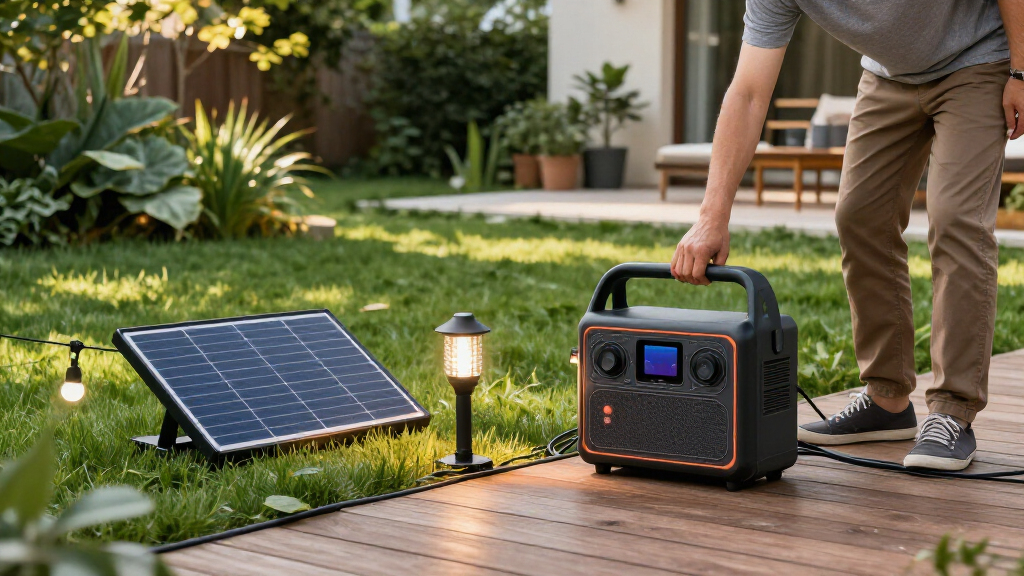
Often called a portable power station, this rechargeable system combines a battery, inverter, charge controls, outlets, and a display. You can charge many models from a wall outlet, a vehicle, or compatible solar panels. This guide shows you how to compare capacity and output, estimate run time, and decide whether a solar backup fits your needs.
That distinction matters when you are choosing between keeping a phone, router, and a few lights alive and trying to run a whole home. You will get more useful backup from a station sized around your actual devices than from a big capacity number chosen on its own.
Compare both watt-hours for stored energy and watts for simultaneous device demand.
Estimate energy use with device watts multiplied by hours, then allow for conversion losses and variable usage.
Check refrigerator and pump startup surges as well as their running power.
Treat solar panel wattage as a rated ceiling under set conditions; shade and angle affect real charging.
Use a portable station for selected devices, and hire a licensed electrician for any home-wiring connection.
Know what your station can power before an outage
A solar backup power station is a rechargeable battery system that supplies electricity through built-in outlets and ports. Its capacity, measured in watt-hours (Wh), describes stored energy; its output, measured in watts (W), limits how much power it can deliver at one time. Those numbers answer two different questions: how long and how much. A larger battery can extend runtime, but it cannot make a station run a device whose demand exceeds its output limit.
Think of capacity as the size of a pantry and output as how quickly you can carry groceries out. A 1,000 Wh unit could theoretically run a 100 W device for 10 hours, but conversion losses mean the usable time is shorter. If you plug in several devices, their combined draw also has to stay within the station’s continuous output rating. In practice, this means a small set of low-draw essentials may run for much of an evening, while one high-draw appliance can consume the same energy in a fraction of the time.
Imagine a winter outage: a 10 W router, two 8 W LED lamps, and a 60 W laptop draw about 86 W together. A station that supports that load may keep your small work corner running for several hours; a model with a lower output limit may shut down even if its battery is large. The example also shows why planning for simultaneous use matters: devices you intend to run together determine the required output, while their total hours of use determine the needed capacity.
Check the product specifications for continuous output and any brief surge rating. Fridges and pumps use motors or compressors that can demand extra power when they start. A station may handle a refrigerator’s steady draw yet fail at startup, like a narrow doorway that blocks a bulky box. A higher surge rating can widen the range of appliances you can start, but it does not provide more stored energy or extend runtime.
Products Worth Considering

Roborock Qrevo S Pro Robot Vacuum and Mop with Multifunctional Dock

Ring Alarm 14-Piece Home Security Kit

Philips Hue Bridge Pro Smart Lighting Hub, 1-Pack
As an affiliate, we earn on qualifying purchases.
Estimate run time with a quick device-by-device list
You can estimate backup time by adding the watt-hours your devices will use, then comparing that total with the station’s usable capacity. Start with device power (W) × hours used; the result is energy in watt-hours. Treat the result as a planning estimate, since inverter losses, cycling appliances, and device behavior change real consumption. This estimate helps expose tradeoffs: reducing a device’s hours or choosing a lower-power alternative can stretch the same battery further.
- List essentials. Write down the devices you would actually use, such as a router, phone charger, lamp, and medical equipment. Prioritizing makes the estimate useful: every optional load competes for energy that could keep an essential device running later.
- Find each device’s draw. Check its label or manual. If a device runs intermittently, estimate its average use over the hour rather than assuming it draws full power nonstop. This distinction matters especially for refrigerators, whose compressor cycles on and off.
- Multiply watts by hours. A 60 W device used for five hours needs about 300 Wh before conversion losses. Repeat for each device and add the results to see whether the plan fits the station’s usable capacity.
- Check the station’s output and surge limits. Add the devices’ simultaneous wattage and account for motor startup where relevant. Energy totals cannot tell you whether the station can supply a brief startup surge, so check this separately.
For example, if you use a 10 W router for eight hours, that is about 80 Wh. Add a 5 W LED lamp for four hours (20 Wh) and two phone charges, and your plan may fit a modest station better than keeping a 1,500 W space heater running. The lower-power plan trades constant heating for communication, lighting, and charged phones; that is often a more practical use of limited stored energy.
Heating is the catch: high-wattage appliances drain batteries quickly. A 1,500 W heater would use 1,500 Wh in one hour at full draw, already beyond the theoretical capacity of a 1,000 Wh station. Use the calculation to set priorities before the lights go out. If warmth is the priority, compare the heater’s energy demand with other ways to stay warm rather than assuming a portable battery can replace household heating.
Compare batteries and solar charging without trusting headline numbers
Choose a battery and panel setup by checking the full specifications: battery chemistry, cycle-life rating, solar input limit, voltage range, and connector. A panel’s advertised wattage is its rated output under specified conditions, not a promise that it will deliver that power all day. Shade, panel angle, temperature, location, and the station’s charge controller all affect charging. These limits determine whether solar can meaningfully replenish the energy you use, or whether it is mainly a way to slow the battery’s decline during an outage.
| What to compare | Why it matters | Practical example |
|---|---|---|
| Capacity (Wh) | Estimates stored energy | More capacity can extend router and light use |
| Output (W) | Limits devices running together | Check a fridge’s startup demand |
| Solar input | Sets the station’s charging ceiling | A panel’s rating may exceed real midday output |
| Battery chemistry | Affects weight, lifespan, and cost | Many newer models use LFP cells |
Lithium iron phosphate (LFP) models commonly offer longer cycle-life ratings than conventional lithium-ion chemistries, though the maker’s product quality and warranty still matter. Longer rated life may be valuable if you expect frequent use, while a lighter or less costly model may suit someone who needs occasional backup. Recent models often add faster AC charging, USB-C power delivery, app monitoring, or expandable battery packs. These features help if you use the station frequently, but they do not replace checking the limits of the specific model.
Suppose a kit advertises 200 W of solar input and you set its panel beside a shaded balcony railing. The real charging rate may fall well short of the headline figure. Confirm whether panels are included, whether their voltage and connectors match, and how the manufacturer defines cycle life and remaining battery capacity. A panel that fits the station but spends most of the day shaded may contribute less useful energy than a smaller panel placed in direct sun, so consider where you can actually set it up.
Use a portable station for essentials, not as a whole-house shortcut
A portable power station is best suited to selected, limited loads, such as phones, lights, routers, and some small appliances. It can provide useful backup without fuel exhaust during operation, but it is not automatically a substitute for a home generator or a permanently installed battery system. Its value comes from keeping chosen devices available, not powering every circuit. That focused role also makes it easier to estimate how long the stored energy will last and to avoid expecting a small unit to carry large household loads.
Consider a family working through a six-hour outage. They might keep the Wi-Fi router available for emergency updates, charge phones, and run a lamp near the kitchen. If they also try to run a toaster, kettle, and heater, the combined draw could overwhelm the output or drain the battery fast. Deciding which loads matter most before the outage turns the station’s limits into a plan rather than a surprise.
Refrigerators can work with some stations when the unit can handle both running and startup power. Runtime depends on the fridge, temperature, settings, and how often its compressor cycles; the motor does not necessarily draw its full rated power every minute. Measure or look up the appliance’s consumption when possible, and check the station maker’s surge guidance. A successful startup only confirms that the station can begin running the fridge; it does not guarantee the battery will keep it cold for the duration you need.
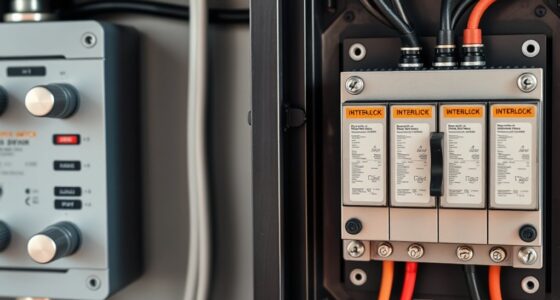
Never feed power into household wiring through an improvised connection. Supplying home circuits calls for equipment designed for that purpose and qualified installation. For electrical work, use a licensed electrician and follow applicable codes and permits.
That safety boundary is easy to remember: plugging a lamp directly into the station is one task; connecting a backup source to a home’s wiring is a different job. The latter affects the home’s electrical system and requires the appropriate transfer equipment and installation. Keep the unit dry, follow its temperature and charging instructions, and give it a stable spot away from heat and moisture.
Set up your backup plan while the weather is calm
A useful backup plan starts with a short list of devices and a tested charging routine. Before storm season, check the station’s charge level, cables, ports, and manual; a dead battery or missing solar adapter is an unpleasant discovery in a dark room. Store and charge the unit within the maker’s temperature and safety guidelines. A routine check helps you catch compatibility or storage issues while you still have time to fix them.
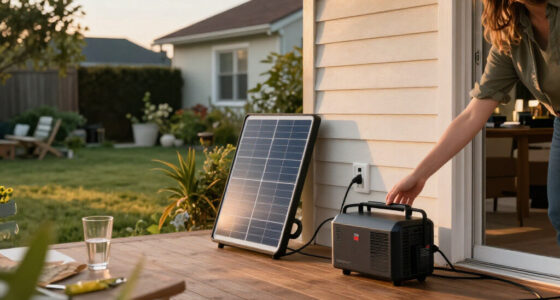
For a weekend cabin trip, you might charge the station from a wall outlet before leaving, then use a compatible panel to top it up during sunny hours. Angle the panel toward direct sun and move it when shade creeps across the surface. Clouds and short winter days can sharply reduce the energy you collect, so keep a wall or vehicle charging option in mind when practical. Solar is most dependable as part of a plan that accounts for the hours and conditions when the panel cannot keep up with use.
Many models support using outlets while charging, sometimes called pass-through charging, but the feature and its limits vary. Read the manual before relying on it. A display or app can help you spot a fast-draining device: if the remaining-time estimate drops sharply after plugging in a kettle, you have a clear signal to change the plan. Treat the estimate as a live indicator rather than a promise, since it can change as loads and battery conditions change.
- Keep the station and panels where you can reach them safely.
- Check panel compatibility and cable connections before an outage.
- Reserve energy for the devices that matter most to your household.
- Review warranty, safety certifications, and storage instructions before purchase.
Small preparations make the equipment easier to use when the power cuts out. A labeled cable bag and a written list of priority devices can save time when the room is cold and the house is quiet. Testing the setup also gives you a realistic sense of which devices can run together and for how long.
Frequently Asked Questions
How long will a solar power station run my devices?
Divide the station’s usable battery capacity by your devices’ average power draw for a rough estimate. A 1,000 Wh rating divided by a 100 W load suggests 10 hours in theory, but inverter losses and changing device use shorten actual runtime.
Can a portable power station run a refrigerator?
Often it can, if the station supports the fridge’s running draw and its startup surge. Runtime varies with the appliance, temperature, settings, and compressor cycling, so check both products’ specifications before relying on the pairing.
How long does solar charging take?
A rough starting estimate is battery capacity divided by solar input, with extra time for charging losses and variable sunlight. The panel’s rated output is not a guaranteed continuous charging rate; shade, angle, weather, and the station’s input limit all matter.
Can I use the station while it is charging?
Many models allow simultaneous charging and use, sometimes called pass-through charging. Check the manual for your specific unit because supported loads and operating limits differ.
Can a portable station power my house during an outage?
It can run selected devices directly from its outlets, but it is not automatically whole-house backup. Supplying home circuits requires compatible equipment and qualified installation; never connect a station to household wiring with an improvised setup.
Are solar backup power stations safe to use indoors?
Battery stations do not produce fuel exhaust while operating, unlike fuel generators. Follow the manufacturer’s instructions for placement, temperature, charging, and ventilation, and keep the unit away from moisture and heat.
Conclusion
Choose a station around the devices you need, the hours you need them, and the power they draw at startup. Capacity, output, and compatible solar input matter more than a single impressive number on the box.
Write your essentials down, run the watt-hour math, and test your setup before an outage. When the neighborhood goes dark, a measured plan gives you a small, steady pool of power instead of a battery that empties before the kettle cools.