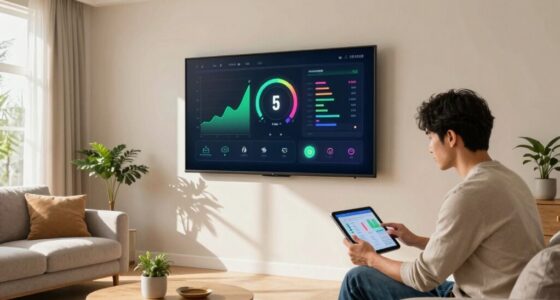

To save more with less, leverage scenes, automation, and schedules effectively. Scenes let you instantly set the perfect ambiance, while automation responds automatically to triggers like leaving home or sunset, reducing energy waste. Schedules guarantee devices operate only during designated times, streamlining your routines and cutting costs. Combining these tools maximizes efficiency and comfort effortlessly. Keep exploring to discover practical tips on customizing these features for even greater savings.

Get backup power and energy gear delivered free — and shop member deals
- Fast, free delivery on millions of items
- Access to Prime Big Deal Days deals on October 6–7
- Prime Video, Amazon Music and more included
Key Takeaways
- Scenes offer manual, immediate environment control for ambiance, reducing energy waste by only activating devices when needed.
- Automations automatically adjust devices based on triggers, optimizing energy use without user intervention.
- Schedules operate devices at fixed times, ensuring consistent use and preventing unnecessary energy consumption.
- Combining scenes, automations, and schedules maximizes energy savings through tailored, efficient environment management.
- Personalized control and automation reduce manual adjustments, leading to more efficient energy use with less effort.

When managing your smart home or office, understanding the differences between scenes, automation, and schedules is essential for seamless control. These tools help you save energy, enhance user customization, and create a more efficient environment. Scenes are preset configurations you activate manually, allowing you to instantly adjust multiple devices with a single tap. For example, a “Movie Night” scene might dim the lights, lower the blinds, and turn on your entertainment system. Because scenes are user-initiated, they offer a high level of user customization, giving you control over your environment’s ambiance at any moment. This manual approach not only enhances your experience but also prevents energy waste by ensuring devices operate only when needed, supporting your goal of energy efficiency. Additionally, understanding device responsiveness can help you optimize how quickly your environment adjusts to your commands. Automation takes things a step further by programming devices to respond automatically based on specific conditions or triggers. For instance, you can set your smart thermostat to lower the temperature when you leave the house or have hallway lights turn on at sunset. Automation saves you time and effort while optimizing energy use. Since these actions happen without manual input, they help reduce unnecessary energy consumption, contributing to energy efficiency. Plus, automation allows you to tailor your environment to your routine, giving you greater user customization without constant oversight. You set the rules once, and your devices handle the rest, making your space smarter and more responsive. Schedules are similar to automation but are typically time-based. You can program lights to turn on at 6 pm and off at 11 pm or set your coffee maker to start brewing every morning at 7. Schedules provide predictable, consistent control, ensuring your environment adapts to your daily routines. They’re especially useful for energy efficiency because they prevent devices from running unnecessarily outside of designated times. While schedules are somewhat less flexible than automation—since they follow fixed times—they still offer significant user customization, allowing you to personalize your environment to fit your lifestyle. The key advantage is simplicity; you set it once, and it operates automatically, reducing the need for constant adjustments.
As an affiliate, we earn on qualifying purchases.
Frequently Asked Questions
How Do I Choose Between Scene, Automation, or Schedule?
To select between scene, automation, or schedule, consider your user preferences and device compatibility. Scenes are great for quick, one-touch adjustments, while automations run based on triggers you set. Schedules follow specific times. If you want seamless control, pick scenes for immediate changes, automations for personalized routines, or schedules for routine timing. Matching your needs with your devices guarantees smooth operation and maximum savings.
Can I Combine Scenes With Automations for Better Control?
Think of scenes and automations as a symphony orchestra. You can combine scenes with automations to create a harmonious performance that aligns with your manual control and user preferences. By doing so, you tailor lighting, climate, and devices seamlessly, ensuring your environment adapts to your lifestyle. This integration offers more precise control, letting you effortlessly switch moods or routines while maintaining the flexibility to override when needed.
Are There Specific Devices Better Suited for Each Method?
Certain devices are better suited for each method based on device compatibility and your user preferences. For example, smart lighting often works well with scenes for quick ambiance changes, while thermostats benefit from automation to optimize energy use. Sensors excel with schedules to automate actions based on time or activity. Choose devices that align with your preferences and make sure they’re compatible with your system to maximize control and savings.
What Is the Cost Difference Among Scene, Automation, and Schedule?
You’ll find that scenes tend to be the most cost-effective, providing energy efficiency and user customization at a minimal price. Automations often come with higher initial costs due to complexity but save money long-term through smart savings. Schedules usually cost the least upfront, offering basic control but less flexibility. Overall, your choice depends on balancing budget benefits with desired energy efficiency and user customization.
How Do I Troubleshoot Issues With My Smart Home Setup?
To troubleshoot issues with your smart home setup, start by checking your voice control commands to guarantee they’re correctly configured. Restart your devices and apps to resolve temporary glitches. Verify that your scenes, automation, and schedules are properly set up for peak energy efficiency. If problems persist, update firmware and reconnect devices. Keep your system updated and consult user manuals or support for specific troubleshooting tips to maintain smooth operation.
As an affiliate, we earn on qualifying purchases.
Conclusion
As you navigate the dance of scenes, automation, and schedules, remember each is a brushstroke on your masterpiece. Scenes paint quick moments, automation weaves seamless flow, and schedules set the rhythm. When you blend them wisely, you craft a symphony of efficiency that saves you more with less effort. Embrace the harmony, and watch your productivity bloom like a well-tended garden—vibrant, effortless, and endlessly rewarding.
As an affiliate, we earn on qualifying purchases.
As an affiliate, we earn on qualifying purchases.
Fall Picks
fall essentials
As an affiliate, we earn on qualifying purchases.