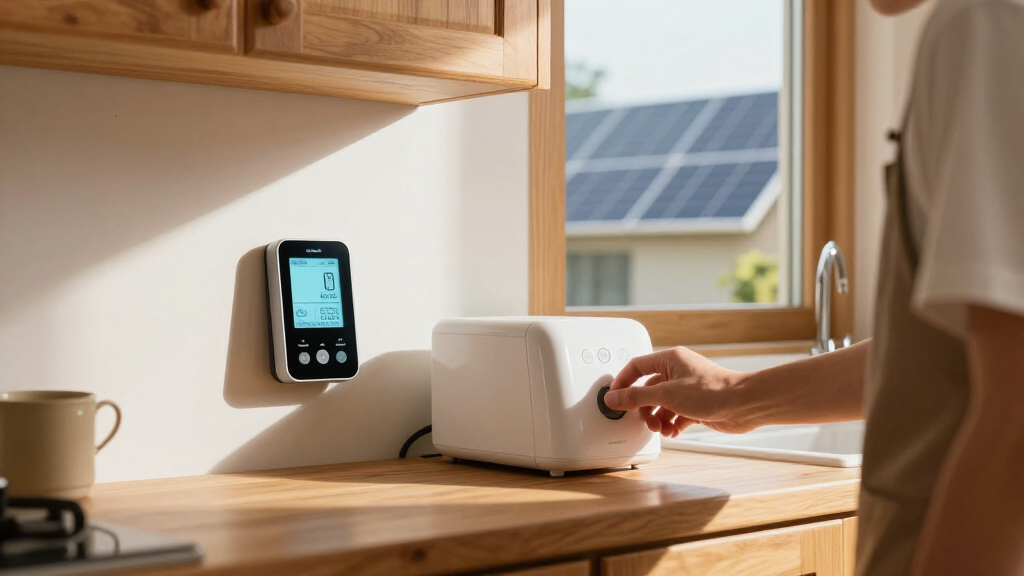

The best home energy monitors make it easier to see where electricity goes, from whole-home use down to individual circuits. My best overall pick is the Refoss EM16P for its circuit monitoring and Open API and Home Assistant support; the Emporia Vue 3 Whole-Home Monitor stands out for households that want a sensor bundle, while the Aeotec Home Energy Meter 8 suits buyers who want a simpler whole-home approach. The main tradeoffs are circuit-level detail versus installation complexity, and app convenience versus local or smart-home control. Solar, multi-phase power, panel space, and the number of circuits you want to track can change which monitor fits best. Read on for the full breakdown and buying advice.

Get backup power and energy gear delivered free — and shop member deals
- Fast, free delivery on millions of items
- Access to Prime Big Deal Days deals on October 6–7
- Prime Video, Amazon Music and more included
Key Takeaways
- Refoss EM16P leads this comparison for buyers who value circuit coverage alongside Open API and Home Assistant support; that control flexibility separates it from simpler app-led monitors.
- The roundup includes several 16-sensor options, but their feature differences matter: compare local control, circuit capacity, and smart-home compatibility rather than choosing by sensor count alone.
- The Emporia Vue 3 Whole-Home Monitor with 8 Circuit Sensors offers a more focused circuit-tracking setup than the 16-sensor kits, which may suit households that do not need to monitor every branch circuit.
- Solar and multi-phase households should look closely at purpose-built options such as the WEM3050T or Emporia Vue 3 Commercial 3-Phase, since a standard residential monitor may not match their electrical setup.
- A plug-in meter such as the Watt Meter Power Plug is a different kind of tool from a panel monitor: it can help isolate an appliance, but it cannot provide whole-home or circuit-level visibility.
| Meross Smart Home Energy Monitor with 16 Circuit Sensors |  | Best for Local, Circuit-Level Control | Model: EM16 | Main circuit capacity: 2 circuits, 200A | Branch circuit capacity: 16 circuits, 60A | VIEW LATEST PRICE | See Our Full Breakdown |
| WiFi Home Energy Monitor with 2 x 120A CTs and Power Tracking |  | Best for Solar Import and Export Tracking | Power source: Battery powered | Current transformers: 2 x 120A split-core CTs | Monitoring type: Bidirectional | VIEW LATEST PRICE | See Our Full Breakdown |
| Aeotec Home Energy Meter 8 Smart Electricity Monitor |  | Best for Z-Wave Homes | Model: ZWA046-A | Connectivity: Z-Wave Long Range, 800 Series | Sensors: 2 x 200A clamp-on sensors | VIEW LATEST PRICE | See Our Full Breakdown |
| Refoss EM16P Smart Home Energy Monitor with Open API and Home Assistant Integration |  | Best for Local Data and MQTT | Model: EM16P | Main circuit sensors: 2 x 200A | Branch circuit sensors: 16 x 60A | VIEW LATEST PRICE | See Our Full Breakdown |
| Emporia Vue 3 Commercial 3-Phase Smart Energy Monitor |  | Best for Three-Phase Panels | Part number: 999-00015 | Monitoring style: Whole-home monitor with 16 circuit sensors | Electrical configurations: Multiple configurations, including 3-phase and single-phase | VIEW LATEST PRICE | See Our Full Breakdown |
| WiFi Home Energy Monitor with 3 80A CT Clamps |  | Best for Targeted Circuit Monitoring | Input voltage: AC 100–240V | Included CT clamps: 3 | Maximum current per clamp: 80A | VIEW LATEST PRICE | See Our Full Breakdown |
| Leviton LWHEM-2R Whole Home Energy Monitor with One Pair of CTs – Make Your Load Center Smart – View Whole Home Energy Usage in My Leviton App |  | Best for Leviton Smart Panel Homes | Model: LWHEM-2R | Included current transformers: 1 pair | Maximum CT pairs supported: 3 pairs | VIEW LATEST PRICE | See Our Full Breakdown |
| Smart Home Energy Monitor with 16 Circuit-Level Sensors |  | Best for Home Assistant and Circuit Detail | Model: SEM-Meter | Included sensors: 16 clamp-on sensors, 50A each | Supported voltage configurations: Single-phase up to 240VAC line-neutral; split-phase 120/240VAC; three-phase up to 415Y/240VAC; no Delta | VIEW LATEST PRICE | See Our Full Breakdown |
| Refoss Smart Home Energy Monitor with 16 60A Circuit Sensors and Local Control |  | Best for Private, Long-Term Local Data | Included sensors: 16 | Supported electrical systems: Single-phase, split-phase, three-phase 4-wire Wye | Data storage duration: 5 years | VIEW LATEST PRICE | See Our Full Breakdown |
| Emporia Vue 3 Whole-Home Energy Monitor with 8 Circuit Sensors |  | Best Straightforward Whole-Home Pick | Model: EMV3A-2P-8 | Circuit sensors: 8 | Accuracy: ±2% | VIEW LATEST PRICE | See Our Full Breakdown |
| Meross Smart Home Energy Monitor (EM16) with 18 Circuit Monitoring and Home Assistant Support | | Best for Local Home Assistant Control | Circuit capacity: 2 × 200A main circuits and 16 × 60A branch circuits | Accuracy: ±2% | Connectivity: Home Assistant, Open API, and web control | VIEW LATEST PRICE | See Our Full Breakdown |
| Emporia Energy Monitor with 16 Sensors and 4 Smart Plugs Bundle |  | Best for Appliance-Level Control | Included components: 1 energy monitor, 16 sensors, and 4 smart plugs | Connectivity: Wi-Fi | Mobile compatibility: iOS and Android | VIEW LATEST PRICE | See Our Full Breakdown |
| Siemens Inhab Smart Home Energy Monitor with Circuit-Level Sensors |  | Best for US and Canadian Panel Monitoring | Model: INHEM1216 | Main sensors: 2 × 200A CTs | Circuit sensors: 16 × 50A CTs | VIEW LATEST PRICE | See Our Full Breakdown |
| Watt Meter Power Plug – Home Electricity Usage Monitor with 7 Display Modes |  | Best for Monitoring a Single Appliance | Display: 2.36 × 1.85 inches | Display modes: 7 selectable modes | Monitored parameters: Power, energy, voltage, current, frequency, power factor, cost, minimum/maximum power, and cumulative days/time | VIEW LATEST PRICE | See Our Full Breakdown |
| WEM3050T WiFi Energy Meter – Smart Home Energy Monitor for Solar & Power Monitoring, Multi-Phase Support, Alexa Compatible |  | Best for Multi-Phase and Open-Platform Integration | Model: WEM3050T | Supported power systems: Split-phase 120/240V, single-phase, and three-phase | Connectivity: Wi-Fi and cloud platform | VIEW LATEST PRICE | See Our Full Breakdown |
| home energy monitor | Connectivity | Model |
|---|---|---|
| Meross Smart Home Energy Monit | — | EM16 |
| WiFi Home Energy Monitor with | 2.4 GHz Wi-Fi | — |
| Aeotec Home Energy Meter 8 Sma | Z-Wave Long Range, 800 Series | ZWA046-A |
| Refoss EM16P Smart Home Energy | — | EM16P |
| Emporia Vue 3 Commercial 3-Pha | — | — |
| WiFi Home Energy Monitor with | 2.4 GHz Wi-Fi | — |
| Leviton LWHEM-2R Whole Home En | Wi-Fi | LWHEM-2R |
| Smart Home Energy Monitor with | 2.4 GHz Wi-Fi; local MQTT mode | SEM-Meter |
| Refoss Smart Home Energy Monit | — | — |
| Emporia Vue 3 Whole-Home Energ | 2.4 GHz Wi-Fi with internet connection | EMV3A-2P-8 |
| Meross Smart Home Energy Monit | Home Assistant, Open API, and web control | — |
| Emporia Energy Monitor with 16 | Wi-Fi | — |
| Siemens Inhab Smart Home Energ | Wi-Fi and mobile app | INHEM1216 |
| Watt Meter Power Plug | — | — |
| WEM3050T WiFi Energy Meter | Wi-Fi and cloud platform | WEM3050T |
More Details on Our Top Picks
Meross Smart Home Energy Monitor with 16 Circuit Sensors
The Meross EM16 is my pick for homeowners who want whole-panel visibility plus branch-circuit detail without making cloud access the center of the setup. It tracks two main circuits and as many as 16 branch circuits, then pairs usage charts, exportable reports, customizable alerts, and up to five years of stored data with Home Assistant and Open API support. Compared with the Aeotec Home Energy Meter 8, the Meross can identify usage across individual circuits, while Aeotec is the simpler choice for monitoring two mains through a Z-Wave hub. The tradeoff is installation: this clamp-on system still needs a compatible panel and careful wiring, and it does not support Delta systems. Its reported ±1% accuracy and two-year warranty make it a strong fit for detailed monitoring, but buyers with unusual electrical service should check compatibility first.
Pros:- Tracks two 200A mains and up to 16 branch circuits
- Home Assistant, Open API, and web control support
- Stores up to five years of data and supports exportable reports
- ETL-certified and backed by a two-year warranty
Cons:- Not compatible with Delta electrical systems
- Panel installation requires electrical-system compatibility and care
- More sensors and setup than needed for buyers who only want whole-home totals
Best for: Homeowners with a compatible electrical panel who want circuit-by-circuit data, local integrations, and long-term usage records for Home Assistant automations.
Not ideal for: Owners of Delta electrical systems or anyone who wants a plug-in monitor that avoids panel work.
- Model:EM16
- Main circuit capacity:2 circuits, 200A
- Branch circuit capacity:16 circuits, 60A
- Reported accuracy:±1%
- Data storage:Up to 5 years
- Integrations:Home Assistant, Open API, web control
- Electrical compatibility:Single-phase 2-wire, split-phase 3-wire, and 3-phase 4-wire Wye with earthed neutral; no Delta
- Certification and warranty:ETL-certified; 2 years
Our verdict“Choose the Meross EM16 if you want detailed circuit-level tracking with local integration options and your electrical system is supported.”
WiFi Home Energy Monitor with 2 x 120A CTs and Power Tracking
This monitor is the most focused pick here for buyers who need to see power moving both into and out of the home. Its two 120A split-core CTs measure bidirectional flow, making it relevant to solar owners who want app-based tracking of consumption and production. Unlike the Meross EM16 and Refoss EM16P, it does not provide a bank of 16 branch sensors, so it is less useful when the goal is finding which individual circuits draw the most. Instead, the appeal is a simpler two-sensor setup with smartphone access and pluggable terminals. The tradeoff is dependence on 2.4 GHz Wi-Fi and the app for full functionality, plus compatibility limited to single-phase 3-wire systems. Setup challenges have been reported, so buyers wanting a robust local-control or hub-based system may prefer the Meross or Aeotec.
Pros:- Bidirectional measurement can track energy import and export
- Two split-core CTs support a comparatively simple sensor arrangement
- App access provides real-time energy data and automation features
- Designed for home and solar monitoring
Cons:- Limited to single-phase 3-wire systems
- Full functionality depends on Wi-Fi and smartphone control
- Setup may be less straightforward than a hub-based monitor
Best for: Solar-equipped households on a single-phase 3-wire system that want app-based, two-way tracking of grid and home energy flow.
Not ideal for: Buyers who need branch-circuit breakdowns, do not want Wi-Fi-dependent monitoring, or have a different electrical configuration.
- Power source:Battery powered
- Current transformers:2 x 120A split-core CTs
- Monitoring type:Bidirectional
- Application:Home and solar energy
- Connectivity:2.4 GHz Wi-Fi
- Control method:Smartphone app
- Electrical system compatibility:Single-phase 3-wire
Our verdict“Pick this model for straightforward solar import-and-export tracking if your home uses a supported single-phase system and app reliance suits you.”
Aeotec Home Energy Meter 8 Smart Electricity Monitor
The Aeotec Home Energy Meter 8 is a good match for households already built around Z-Wave automation and looking for accurate monitoring of mains power rather than many individual circuits. Its two 200A clamps cover up to two phases, and the stated ±0.5% accuracy is tighter than the ±1% figures listed for the Meross EM16 and Refoss EM16P. Z-Wave Long Range can also help when the panel sits far from a hub, while S2 and AES-128 encryption add a layer of protection for device communication. The key difference is scope: unlike those 16-branch-circuit monitors, Aeotec does not offer the same circuit-by-circuit view. It also requires a compatible Z-Wave gateway, and installation involves work at the electrical panel. Choose it for mains tracking inside an established hub setup, not for standalone use.
Pros:- Stated measurement accuracy of ±0.5%
- Z-Wave Long Range offers extended communication reach
- S2 and AES-128 encryption support secure device communication
- Compatible with SmartThings, Home Assistant, and other Z-Wave hubs
Cons:- Requires a compatible Z-Wave gateway or hub
- Monitors mains phases rather than up to 16 individual branch circuits
- Panel installation requires care and may call for professional help
Best for: Smart-home owners with a compatible Z-Wave hub who want accurate split-phase mains monitoring, including households tracking solar production.
Not ideal for: Buyers without a Z-Wave gateway or anyone who needs monitoring across many individual branch circuits.
- Model:ZWA046-A
- Connectivity:Z-Wave Long Range, 800 Series
- Sensors:2 x 200A clamp-on sensors
- Phase support:2-phase / split-phase
- Measurement accuracy:±0.5%
- Measuring range:80V–150V, 0A–200A
- Wireless range:Up to 1 mile (1.7 km)
- Security:S2 and AES-128 encryption
Our verdict“Choose Aeotec if you already use Z-Wave and value accurate, long-range mains monitoring more than branch-circuit detail.”
Refoss EM16P Smart Home Energy Monitor with Open API and Home Assistant Integration
The Refoss EM16P suits technically minded homeowners who want local access and flexible automation across a full panel. It monitors two main circuits and up to 16 branch circuits, with a built-in web interface, Open API, MQTT, and Home Assistant support. That combination gives it a wider local-integration toolkit than the two-sensor Aeotec Home Energy Meter 8, while its five-year data storage and export options make longer-term usage analysis practical. The hardware scope closely resembles the Meross EM16, so the choice between them rests on the specific system and integration needs rather than sensor count. Refoss reports ±1% accuracy, falling to ±2% at low current, which matters when tracking small loads. It also requires panel installation; buyers seeking a low-effort monitor or who do not need local automation may find its capabilities unnecessary.
Pros:- Monitors two main circuits and up to 16 branch circuits
- Local web interface, Open API, MQTT, and Home Assistant support
- Stores up to five years of data with export options
- ETL-certified and includes a two-year warranty
Cons:- Requires installation in the electrical panel
- Accuracy is specified as ±2% at low current
- Feature set may be excessive for buyers who only want whole-home totals
Best for: Home Assistant and MQTT users who want local, exportable data from both main feeds and as many as 16 branch circuits.
Not ideal for: People who want a plug-in setup, avoid electrical-panel installation, or need the strongest stated accuracy for very low-current readings.
- Model:EM16P
- Main circuit sensors:2 x 200A
- Branch circuit sensors:16 x 60A
- Accuracy:±1%; ±2% at low current
- Data storage:Up to 5 years
- Connectivity and integrations:Wi-Fi, web UI, Open API, MQTT, Home Assistant
- Certification:ETL-certified; compliant with UL 61010
- Warranty:2 years
Our verdict“Choose the Refoss EM16P for local, automation-friendly circuit monitoring, especially if MQTT and data export are priorities.”
Emporia Vue 3 Commercial 3-Phase Smart Energy Monitor
The Emporia Vue 3 Commercial earns its place for buyers whose electrical service needs broader system support than a typical split-phase home monitor offers. It is described as supporting 3-phase and single-phase configurations, with real-time usage tracking and solar and net-metering applications. That makes it a different fit from the Aeotec Home Energy Meter 8, which is aimed at two-phase or split-phase mains, and from the Meross EM16, whose listed compatibility does not include Delta. Emporia’s 16-circuit style points toward detailed panel monitoring, but the supplied information is less specific about sensor counts and measurement accuracy than the Meross and Refoss listings. Installation is hardwired at the panel, and some system types need additional sensors. This is the specialized choice for commercial-style or three-phase service, not the simplest route for a conventional home.
Pros:- Supports multiple electrical configurations, including 3-phase and single-phase
- Provides real-time electricity-use monitoring
- Designed for home and small-business energy management
- Can be used with solar and net-metering setups
Cons:- Hardwired panel installation may require technical expertise
- Additional sensors are needed for some electrical system types
- Supplied product details do not specify measurement accuracy or a complete sensor count
Best for: Small-business owners and homeowners with a supported three-phase or other listed electrical configuration who want real-time panel monitoring.
Not ideal for: Buyers seeking a simple, clearly specified two-sensor setup or those unwilling to handle hardwired panel installation and possible extra sensors.
- Part number:999-00015
- Monitoring style:Whole-home monitor with 16 circuit sensors
- Electrical configurations:Multiple configurations, including 3-phase and single-phase
- Power source:Hardwire
- Additional sensor:200A sensor for 3-wire systems
- Use cases:Home, small business, solar, and net metering
- Weight:5.13 lbs
- Dimensions:10 x 5 x 5 inches
Our verdict“Choose the Emporia Vue 3 Commercial when three-phase support is the deciding need and you can confirm the required sensors for your panel.”
WiFi Home Energy Monitor with 3 80A CT Clamps
This monitor is a focused choice for households that want to watch a few important circuits—such as HVAC, a water heater, or solar-related wiring—without adding sensors across the entire panel. Its three 80A CT clamps support simultaneous circuit tracking, while the Smart Life and Tuya apps provide live readings and historical data. Temperature alerts and remote switching add useful oversight beyond energy totals. Compared with the Emporia Vue 3, which includes eight circuit sensors and whole-home panel monitoring, this model covers fewer circuits and is better suited to a targeted setup. That narrower scope can be an advantage when only a handful of loads matter, but it is not a substitute for a whole-home view. Installation involves electrical wiring, so I’d leave the work to a qualified electrician.
Pros:- Tracks three circuits simultaneously with included CT clamps
- Provides real-time readings and historical usage in Smart Life or Tuya
- Includes temperature alerts and remote ON/OFF control
- Supports circuits rated up to 80A per clamp
Cons:- Does not provide whole-home monitoring
- Electrical wiring makes professional installation advisable
- Wi-Fi connectivity is limited to 2.4 GHz
Best for: Homeowners who want to track a few large or solar-related circuits through Smart Life or Tuya rather than monitor every circuit.
Not ideal for: Buyers seeking whole-home usage totals or broad circuit coverage; this monitor is limited to selected circuits and needs wired installation.
- Input voltage:AC 100–240V
- Included CT clamps:3
- Maximum current per clamp:80A
- Connectivity:2.4 GHz Wi-Fi
- Compatible apps:Smart Life, Tuya
- Temperature alert threshold:50°C
- Relay control:Up to 15A
Our verdict“Choose this monitor when three specific circuits matter more than whole-panel coverage or a larger sensor count.”
Leviton LWHEM-2R Whole Home Energy Monitor with One Pair of CTs – Make Your Load Center Smart – View Whole Home Energy Usage in My Leviton App
The LWHEM-2R makes the most sense as part of a Leviton-centered electrical setup, where it can connect energy monitoring with compatible smart breakers, scheduling, and alerts in the My Leviton app. It tracks whole-home consumption and generation, and it can interface with an Automatic Transfer Switch for backup-power management. That makes it more integrated than the Emporia Vue 3 for owners already using Leviton controls, though the Vue 3 comes with eight circuit sensors while this package includes only one CT pair. The Leviton can support up to three CT pairs, but expanding circuit-level detail means buying additional sensors. Its broader ecosystem features come with a compatibility cost: households without Leviton smart breakers may not get the full control benefits, and installation may call for professional help.
Pros:- Monitors whole-home consumption and generation through Wi-Fi
- Works with compatible Leviton Smart Circuit Breakers for remote control and scheduling
- Can interface with an Automatic Transfer Switch for backup-power management
- Over-the-air firmware updates and customizable alerts
Cons:- Only one CT pair is included; additional sensors are needed for expanded measurement
- Full control features depend on compatible Leviton Smart Circuit Breakers
- Professional installation may be needed
Best for: Homeowners with compatible Leviton Smart Circuit Breakers who want energy monitoring, breaker control, or backup-power integration in one ecosystem.
Not ideal for: Shoppers seeking a standalone monitor with several circuit sensors included or those who do not use compatible Leviton equipment.
- Model:LWHEM-2R
- Included current transformers:1 pair
- Maximum CT pairs supported:3 pairs
- App:My Leviton
- Connectivity:Wi-Fi
- Included components:Monitor, 1 pair of current transformers, installation accessories, guide
- Color:White
Our verdict“Pick the LWHEM-2R if Leviton smart breakers and backup-power integration matter more to you than included circuit-sensor quantity.”
Smart Home Energy Monitor with 16 Circuit-Level Sensors
With 16 included sensors, this monitor is the strongest fit here for households that want a detailed circuit-by-circuit picture without relying entirely on a cloud service. It reports usage and electricity costs, supports solar and time-of-use rates, and offers local MQTT operation for Home Assistant setups. Its stated 1% accuracy and support for single-phase, split-phase, and certain three-phase systems give technically minded buyers useful flexibility. Compared with the Refoss Smart Home Energy Monitor, it offers a similar emphasis on many circuits and local integrations, while the Refoss listing specifies five years of data storage and several local interfaces. This model’s drawback is installation fit: panels with hard-to-reach busbars may require separately available flexible sensors, and Delta three-phase systems are unsupported.
Pros:- Includes 16 clamp-on sensors rated at 50A each
- Supports local MQTT operation with Home Assistant
- Tracks electricity costs, time-of-use rates, solar, and net metering
- Lists 1% measurement accuracy
Cons:- Does not support Delta three-phase systems
- Some busbar layouts require separately available flexible sensors
- Hourly exports are available for 90 days, while longer-term exports are limited to daily, monthly, and yearly data
Best for: Home Assistant users and technically confident homeowners who want cost tracking, solar visibility, and readings across many circuits.
Not ideal for: Households with Delta three-phase wiring or panels where the included clamp sensors cannot reach the required conductors.
- Model:SEM-Meter
- Included sensors:16 clamp-on sensors, 50A each
- Supported voltage configurations:Single-phase up to 240VAC line-neutral; split-phase 120/240VAC; three-phase up to 415Y/240VAC; no Delta
- Connectivity:2.4 GHz Wi-Fi; local MQTT mode
- Accuracy:1%
- Data history:Hourly exports for 90 days; daily, monthly, and yearly exports permanent
- Dimensions:3.1 x 1.2 x 4.18 inches
- Warranty:1 year
Our verdict“Choose this model for broad circuit coverage and local Home Assistant data, provided your panel configuration is supported.”
Refoss Smart Home Energy Monitor with 16 60A Circuit Sensors and Local Control
The Refoss stands out for buyers who want to keep energy data and integrations under local control. Its Web UI, Open API, MQTT, and WebSocket options can suit privacy-conscious households or custom home-automation projects that do not depend on cloud access. The system includes 16 sensors and supports single-phase, split-phase, and three-phase four-wire Wye setups; its stated five-year data storage also favors longer-term analysis. Compared with the Smart Home Energy Monitor with 16 Circuit-Level Sensors, Refoss lists more local connection options and a longer stated storage period, while that alternative specifies 1% accuracy and direct time-of-use cost tracking. Refoss asks more of its owner: installation and integrations may require technical skill, and it does not support every electrical configuration.
Pros:- Includes 16 sensors for monitoring multiple circuits
- Offers local Web UI, Open API, MQTT, and WebSocket connectivity
- Lists five years of data storage and smart alerts
- Supports single-phase, split-phase, and three-phase four-wire Wye systems
Cons:- Installation and automation integrations may require technical knowledge
- Supports specific electrical configurations rather than every panel type
- The product description claims 18-circuit monitoring, but the listed included sensor count is 16
Best for: Privacy-conscious homeowners and technically capable smart-home users who want local interfaces, long-term records, and multi-circuit monitoring.
Not ideal for: Beginners wanting a simple app-led setup, or owners with Delta or other unsupported electrical systems.
- Included sensors:16
- Supported electrical systems:Single-phase, split-phase, three-phase 4-wire Wye
- Data storage duration:5 years
- Connectivity and interfaces:Wi-Fi, Open API, MQTT, WebSocket
- Dimensions:4.5 x 3.5 x 1.1 inches
- Weight:4.27 pounds
- Warranty:2 years
Our verdict“Choose Refoss if local data access and long-term analysis matter more than beginner-friendly installation or a simpler app setup.”
Emporia Vue 3 Whole-Home Energy Monitor with 8 Circuit Sensors
The Vue 3 offers a balanced route to whole-home monitoring plus selected circuit detail: it tracks panel usage and supports solar and net metering, with eight circuit sensors for loads worth watching individually. The Emporia app adds alerts and energy-management automation, making this a practical match for households that want more than a single whole-home reading without configuring local APIs. Compared with the Smart Home Energy Monitor with 16 Circuit-Level Sensors, the Vue 3 covers fewer circuits and lists ±2% accuracy rather than 1%, but its setup is more app-centered and its UL and CE listings may appeal to buyers prioritizing documented certifications. The tradeoff is dependence on 2.4 GHz Wi-Fi and an internet connection; some three-phase arrangements also need an extra sensor.
Pros:- Tracks whole-home electricity use with eight circuit sensors
- Supports solar and net metering
- Emporia app includes alerts and energy-management automation
- UL and CE listed
Cons:- Requires 2.4 GHz Wi-Fi and an internet connection
- Eight included circuit sensors offer less coverage than the 16-sensor alternatives
- Some three-phase configurations require an additional sensor
Best for: Homeowners who want whole-home usage, solar or net-metering visibility, and a manageable number of circuit readings through a phone or web app.
Not ideal for: Buyers who need local-only operation, more than eight circuit sensors, or monitoring that works without an internet connection.
- Model:EMV3A-2P-8
- Circuit sensors:8
- Accuracy:±2%
- Connectivity:2.4 GHz Wi-Fi with internet connection
- Compatible devices:iPhone, Android, web app
- Dimensions:10 x 5 x 5 inches
- Certifications:UL and CE listed
- Warranty:1 year
Our verdict“Pick the Vue 3 for app-led whole-home and solar monitoring with eight circuits of detail, but skip it if you need local-only data or broader circuit coverage.”
Meross Smart Home Energy Monitor (EM16) with 18 Circuit Monitoring and Home Assistant Support
The Meross EM16 is my pick for homeowners who want circuit-by-circuit visibility without cloud dependence. It tracks up to 18 circuits, stores data locally for as long as five years, and offers Home Assistant and Open API support for custom automations such as reacting to solar surplus. Its stated ±2% accuracy also makes it a strong fit for detailed monitoring. Compared with the Emporia 16-sensor bundle, Meross emphasizes local data and Home Assistant control rather than adding smart plugs for individual appliances. That privacy and flexibility come with a steeper setup path: advanced automation assumes familiarity with Home Assistant, and the monitor requires electrical-panel installation. I’d skip it if you want a simple app-first setup or have a Delta neutral system, which it does not support.
Pros:- Monitors two main feeds and up to 16 branch circuits.
- Local storage and Home Assistant integration support operation without cloud services or subscription fees.
- Specified ±2% accuracy supports detailed usage tracking.
- CT readings can be inverted in the app to accommodate clamp orientation.
Cons:- Advanced automation depends on Home Assistant, which can add setup and maintenance work.
- Does not support Delta neutral systems.
- Requires installation in the electrical panel.
Best for: Homeowners comfortable with Home Assistant who want local energy records, detailed circuit monitoring, and automation without subscriptions.
Not ideal for: Smart-home beginners seeking a straightforward app-only setup, or homeowners with Delta neutral wiring.
- Circuit capacity:2 × 200A main circuits and 16 × 60A branch circuits
- Accuracy:±2%
- Connectivity:Home Assistant, Open API, and web control
- Data storage:Up to 5 years locally
- Certification:ETL-certified; UL 61010 compliant
- System compatibility:Single-phase 2-wire, single-split-phase 3-wire, and 3-phase 4-wire Wye (TN/TT)
- Warranty:2 years
Our verdict“Choose the Meross EM16 if local data and Home Assistant automation matter more to you than a simpler plug-and-play setup.”
Emporia Energy Monitor with 16 Sensors and 4 Smart Plugs Bundle
This Emporia bundle goes beyond panel monitoring by including four Wi-Fi smart plugs, letting you track and control selected plug-in devices alongside up to 16 monitored circuits. That makes it more useful for households trying to identify standby loads or schedule appliances than the Siemens Inhab, which focuses on panel-level and branch-circuit data. It also supports solar net metering and offers app access through iOS and Android, plus Alexa compatibility. The tradeoff is that its smart plugs only cover devices connected to them; they do not replace circuit sensors for hardwired equipment. Installation still requires access to the main electrical panel, and the supplied product information does not specify sensor accuracy or storage duration. I’d favor the Meross EM16 if local storage and Home Assistant are higher priorities than included plug control.
Pros:- Includes 16 circuit sensors and four Wi-Fi smart plugs in one bundle.
- Smart plugs allow remote device control and can help reduce standby consumption.
- Supports solar net metering and real-time usage monitoring.
- Works with iOS, Android, and Alexa-enabled devices.
Cons:- Requires installation in the main electrical panel.
- Smart plugs cover only devices plugged into them, not hardwired loads.
- The supplied specifications do not state measurement accuracy or a local-storage option.
Best for: Households that want panel monitoring plus remote control and usage tracking for several plug-in appliances.
Not ideal for: Renters or buyers who cannot access their electrical panel, and users who prioritize local-only storage or documented measurement accuracy.
- Included components:1 energy monitor, 16 sensors, and 4 smart plugs
- Connectivity:Wi-Fi
- Mobile compatibility:iOS and Android
- Voice assistant compatibility:Alexa-enabled devices
- Monitoring:Real-time energy usage
- Solar feature:Solar net metering support
- Automation:Schedules and device control
Our verdict“Pick this Emporia bundle if you want circuit monitoring paired with practical control of several plug-in appliances.”
Siemens Inhab Smart Home Energy Monitor with Circuit-Level Sensors
The Siemens Inhab suits buyers who want whole-home readings plus data from up to 16 individual circuits, with alerts and energy-management tools in a mobile app. Its listed US and Canadian certifications and regional app availability make its intended market clear. Compared with the WEM3050T, the Inhab includes sensors for branch-circuit monitoring, while the WEM3050T stands out for its broader stated phase compatibility and integrations such as MQTT. Siemens also lists support for peak-demand management, excess-solar management, and load shedding for compatible devices, which may help households coordinate usage rather than just review it. The downside is panel installation and a regional app limitation: buyers outside the US and Canada should look elsewhere. The listed specs also don’t identify a local-storage option or provide a measurement-accuracy figure.
Pros:- Tracks whole-home use and up to 16 branch circuits.
- Provides real-time and historical data through a mobile app.
- Supports alerts, time-of-use and peak-demand management, and excess-solar management.
- Listed as UL Listed in the US and Canada.
Cons:- Requires installation in an electrical panel.
- Mobile app availability is limited to the US and Canada.
- The supplied specifications do not state measurement accuracy or local data-storage options.
Best for: Homeowners in the US or Canada who want app-based whole-home and branch-circuit monitoring with alerts and energy-management features.
Not ideal for: Buyers outside the US and Canada, renters, or anyone who needs confirmed local data storage or a stated accuracy specification.
- Model:INHEM1216
- Main sensors:2 × 200A CTs
- Circuit sensors:16 × 50A CTs
- Monitoring:Whole-home and up to 16 branch circuits
- Connectivity:Wi-Fi and mobile app
- Certifications:CE marked; UL Listed in the US and Canada
- Dimensions:1.1 × 5.71 × 2.76 inches
- Weight:4.8 pounds
Our verdict“Choose the Siemens Inhab if you are in the US or Canada and want branch-circuit insights paired with app-based energy-management features.”
Watt Meter Power Plug – Home Electricity Usage Monitor with 7 Display Modes
This plug-in watt meter is the simplest choice here for checking one appliance at a time, with readings for watts, kilowatt-hours, voltage, current, frequency, power factor, and estimated cost shown on its own backlit LCD. Unlike the panel-mounted Meross EM16, it needs no circuit sensors or app to read a device’s consumption; plug the appliance into the meter and view the display. That makes it handy for comparing the energy draw of a refrigerator, computer, or other compatible plug-in load. Its limits are just as clear: it cannot report whole-home use, monitor branch circuits, or provide remote access. The meter also includes overload protection up to 3680W, though its recommended setting is 1800W and the overload-threshold setup may confuse first-time users.
Pros:- Displays several electrical measurements, including watts, kWh, volts, amps, and power factor.
- Large backlit LCD has adjustable backlight duration.
- Retains the last reading after a power interruption.
- Offers overload warning and protection with a configurable threshold.
Cons:- Monitors only the appliance connected through the plug, not the home or electrical panel.
- Overload-threshold setup may be confusing for first-time users.
- Buttons may become unresponsive until an overload condition is cleared.
Best for: People who want to measure and compare the electricity use of individual plug-in appliances without installing a panel monitor.
Not ideal for: Homeowners seeking whole-home or circuit-level tracking, remote monitoring, or solar and grid-import reporting.
- Display:2.36 × 1.85 inches
- Display modes:7 selectable modes
- Monitored parameters:Power, energy, voltage, current, frequency, power factor, cost, minimum/maximum power, and cumulative days/time
- Backlight options:5 settings: 10 minutes, 1 hour, 4 hours, 8 hours, or always on
- Overload protection range:0–3680W
- Default overload setting:3680W
- Recommended overload setting:1800W
- Data memory:Retains the last reading after power loss
Our verdict“Choose this watt meter for direct, display-based checks of individual plug-in appliances, not whole-home energy monitoring.”
WEM3050T WiFi Energy Meter – Smart Home Energy Monitor for Solar & Power Monitoring, Multi-Phase Support, Alexa Compatible
The WEM3050T is the strongest fit in this batch for buyers who need multi-phase support and integration choices. It works with split-phase 120/240V, single-phase, and three-phase systems, while its platform connections include Home Assistant, Node-RED, MQTT, and Alexa. It can also track solar generation and grid import or export through cloud and mobile access. Compared with the Siemens Inhab, which specifies sensors for up to 16 branch circuits, the WEM3050T’s supplied information emphasizes system compatibility and integrations rather than circuit-level sensor capacity. That distinction matters if you want automation across platforms but need to check whether its monitoring detail suits your panel. It depends on Wi-Fi and cloud services, and there is no built-in display, so local-only buyers should favor the Meross EM16 instead.
Pros:- Supports split-phase, single-phase, and three-phase systems.
- Tracks consumption, solar generation, and grid import or export.
- Offers integration with Home Assistant, Node-RED, MQTT, and Alexa.
- Provides cloud-platform and mobile-app access to usage data.
Cons:- Requires Wi-Fi and relies on cloud services.
- Has no built-in display; readings require an external device.
- The supplied product data does not state a circuit-sensor count or measurement-accuracy figure.
Best for: Homeowners with split-phase or three-phase systems who want solar and grid tracking connected to Home Assistant, Node-RED, MQTT, or Alexa.
Not ideal for: Buyers who require a built-in display, cloud-independent operation, or clearly specified branch-circuit sensor capacity.
- Model:WEM3050T
- Supported power systems:Split-phase 120/240V, single-phase, and three-phase
- Connectivity:Wi-Fi and cloud platform
- Integrations:Alexa, Home Assistant, Node-RED, and MQTT
- Monitoring:Consumption, solar generation, and grid import/export
- Product dimensions:3.55 × 2.8 × 2.26 inches
- Item weight:1.43 pounds
Our verdict“Choose the WEM3050T if broad phase compatibility and open-platform integrations outweigh your preference for local-only data or an onboard screen.”
How We Picked
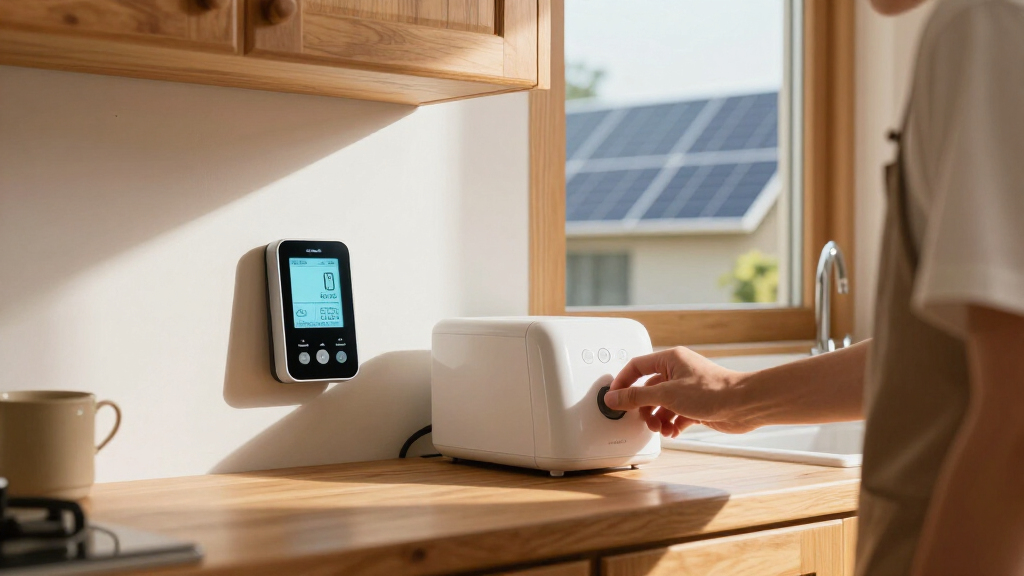
I compared these monitors by the decisions that shape a useful home energy setup: whole-home and circuit-level coverage, stated sensor capacity, fit for residential, solar, or multi-phase use, and the available app, API, and smart-home controls. I also weighed how directly each product appears to serve a clear buyer need, from tracking an appliance at an outlet to monitoring a whole panel. Because installation involves electrical equipment, a model’s monitoring scope and the likely complexity of fitting its sensors matter alongside its software features.
The ranking favors products that combine useful visibility with a clearly differentiated role. The Refoss EM16P ranks first for pairing circuit monitoring with Open API and Home Assistant integration; the Emporia Vue 3 and other multi-sensor options follow for households prioritizing circuit detail or broader system fit. Simpler meters rank lower for buyers seeking whole-home insight, but may suit narrower tasks. Product names and stated features alone cannot confirm compatibility with every panel, so I treat support claims as starting points and flag the need to check the manufacturer’s specifications before purchase.
Factors to Consider When Choosing Best Home Energy Monitors
Before choosing a monitor, match its measurement method to the question you want answered. A panel monitor can show broad household patterns, while circuit sensors can help identify which parts of the home drive demand; a plug meter tracks one connected device. These four checks can prevent buying a capable monitor that does not fit your electrical system or your monitoring habits.
Match Sensor Coverage to the Decision You Want to Make
Decide whether you need a whole-home total, individual circuit readings, or a single appliance measurement before comparing sensor counts. More circuit sensors can reveal more detail, but they also take up space in the panel and may create setup work you do not need. A household investigating a few high-draw circuits may get enough insight from a smaller bundle, while a home with many loads to separate may benefit from wider coverage. Check whether the monitor measures the whole panel as well as its branch circuits; those readings answer different questions. Avoid assuming that a larger sensor count automatically means better results for your goals. Pick the scope that would change a decision you expect to make, such as identifying a persistent load or checking usage patterns.
Check Panel Fit and Installation Before Buying
Panel compatibility is not a minor detail: sensor shape, available room, circuit layout, and electrical service can affect whether a monitor can be installed as intended. Read the manufacturer’s requirements and compare them with your panel before ordering, especially if the panel is crowded or the home has an unusual setup. Many panel monitors involve work near energized electrical equipment, so decide in advance whether a qualified electrician should handle installation. Do not treat a listed number of clamps as proof that every circuit will be straightforward to monitor. Ask how the system handles circuits that share a neutral or have unusual wiring if those apply to your home. A little research here can save a return and helps keep installation safe.
Treat Solar and Multi-Phase Support as Separate Requirements
Solar monitoring, battery tracking, and multi-phase measurement are not interchangeable features. If you want to distinguish grid import from solar generation, check exactly what the monitor measures and how it labels those flows in its app. A product described for solar use may still require particular sensor placement or compatible electrical configurations. Multi-phase homes and commercial installations should verify phase support directly instead of assuming a residential unit can cover them. Also check whether the monitor can show the direction of power flow, since a total alone may not explain what is being imported or exported. Buyers with solar or multi-phase systems should rank electrical fit ahead of extra app features.
Choose the Data and Control Style You Will Actually Use
Some buyers want a straightforward phone app; others want local control, an API, or Home Assistant integration for custom dashboards and automations. Those options can make readings more useful, but only if you are prepared to configure and maintain them. Confirm which functions work locally and which depend on an internet connection or account, since those details affect privacy and continued access. Check how the app presents historical data and whether it gives enough detail to spot patterns rather than just current usage. A technically flexible monitor may be a poor fit for someone who wants a simple setup and occasional checks. Pick software based on the way you plan to use the readings, not the longest feature list.
Know When an Outlet Meter Is Enough
A plug-in meter answers a narrow but useful question: how much electricity does a compatible appliance draw at its outlet? That can be a practical starting point for portable devices without opening an electrical panel. It cannot reveal the total use of hardwired equipment or show how the home’s circuits compare. Before buying one, check that the appliance plugs directly into the meter and that the meter is rated for its electrical load. For a large appliance or an entire home, a panel monitor is the more suitable measurement approach. Some buyers may pair both types, using panel data for household patterns and a plug meter to investigate selected devices.
Balance Circuit Detail Against Setup and Upkeep
Every additional sensor can add useful context, but it can also mean more labels to configure and more readings to interpret. Plan how you will name circuits and decide which loads matter before installation; an unlabeled chart of many readings can be hard to act on. Check whether the system needs Wi-Fi, a hub, an app account, or ongoing calibration and maintenance. If multiple people in the household will use the data, a clear display and shared access may matter more than advanced integrations. A smaller setup can be a better long-term fit if it answers your main question with less upkeep. Pay for added complexity only when you have a clear use for the extra information.
Frequently Asked Questions
Can I install a panel-based home energy monitor myself?
It depends on the monitor’s instructions, your panel, and your electrical experience, but panel work can expose you to hazardous voltage even when a breaker is switched off. Do not assume that attaching sensors makes installation safe or suitable for a first-time DIY project. Read the manufacturer’s installation guide and check whether it recommends or requires a qualified electrician. A professional can also help confirm panel fit and sensor placement before the system is powered. If you are unsure about any step, have the monitor installed by a licensed electrician.
Will a home energy monitor tell me exactly how much each appliance costs to run?
Not always. A panel monitor often measures a whole circuit, which can include several lights, outlets, or appliances, so its reading may not isolate one device. A plug-in meter can measure a single compatible appliance connected through it, but it is not suitable for every hardwired or high-load device. Turning off other loads on a circuit can sometimes help you narrow down what is using power, though that takes effort and may not produce a perfect appliance-level reading. Check whether you need circuit estimates or direct measurement of individual devices before choosing a monitor.
What should I check if I have solar panels or a battery?
Start by confirming that the monitor supports your electrical configuration and can distinguish the flows you care about, such as grid import, solar generation, and battery charge or discharge. A household total by itself may not show where electricity came from or where it went. Check the installation instructions for sensor placement and whether additional sensors or compatible equipment are needed. If your system is multi-phase, verify phase support rather than relying on a general solar label. When the product documentation leaves these points unclear, ask the manufacturer or installer before buying.
Should I choose more circuit sensors or a monitor with smart-home integration?
Choose more sensors when your main goal is to separate the usage of many circuits and find which areas are driving demand. Choose smart-home integration when you want readings in a custom dashboard, local system, or automation workflow. These features solve different problems, and one does not replace the other. Consider how many circuits you would actually review and whether you are comfortable setting up integrations. If you only want occasional household checks, a simpler app may be easier to maintain than a highly configurable system.
Can a plug-in electricity meter replace a whole-home monitor?
No, not for whole-home visibility. A plug-in meter can measure a compatible device connected through its outlet, but it does not track the rest of the home or provide panel-wide circuit readings. It can be useful when you want to investigate one portable appliance without installing sensors in an electrical panel. Check the device’s load rating and plug compatibility before use. If your goal is to compare household circuits, measure hardwired equipment, or follow total home usage, choose a panel-based monitor instead.
Conclusion
For most buyers who want circuit detail plus smart-home flexibility, my best overall choice is the Refoss EM16P. The best value in capability is the Emporia Vue 3 Whole-Home Monitor with 8 Circuit Sensors for buyers who want circuit insight without starting with a 16-sensor bundle; check current bundle contents and compatibility before deciding. For best premium or specialized use, look at the Emporia Vue 3 Commercial 3-Phase if your installation calls for three-phase monitoring, rather than paying for features your home cannot use. Beginners seeking a simpler whole-home approach may prefer the Aeotec Home Energy Meter 8, while solar or multi-phase buyers should compare the WEM3050T against their system requirements. Choose the Watt Meter Power Plug only when you need to measure a compatible appliance at an outlet, not the whole house.
Halloween Picks
halloween
As an affiliate, we earn on qualifying purchases.