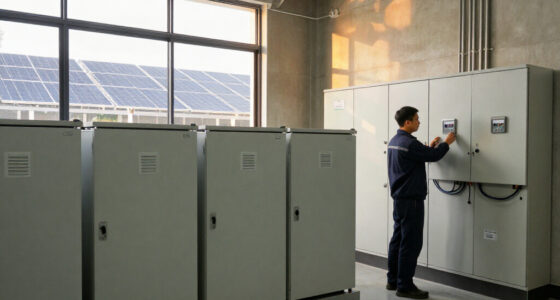
The best smart energy gateways depend on whether you want whole-home or circuit-level energy data, or a hub that connects smart devices. I rank the Emporia Vue 3 as the strongest energy-monitoring pick, while the Meross 18-Circuit Monitor stands out for Home Assistant users and the Aeotec V3 Hub for broad smart-home protocol support. The main tradeoffs are energy-monitoring depth, device compatibility, setup demands, and whether a gateway actually measures electricity or simply connects devices. Read on for the full comparison, selection criteria, and advice on matching a gateway to your home.

Get backup power and energy gear delivered free with Prime
- Fast, free delivery on millions of items
- Prime Video, Amazon Music and more included
- Member-only deals all year
Key Takeaways
- Energy monitoring and device control are different jobs: the Emporia, Meross, and SEM-Meter models focus on electrical usage, while most of the other picks are connectivity hubs.
- The Emporia Vue 3 is the clearest fit for whole-home circuit monitoring: its dedicated monitor design separates it from general-purpose Zigbee and Bluetooth gateways.
- Home Assistant support changes the shortlist: Meross is a more relevant match for buyers building an open home-energy dashboard than a basic multi-protocol hub.
- A wide protocol list does not guarantee broad compatibility: the Aeotec V3 supports several major ecosystems, but buyers still need to check device support and platform requirements.
- Several Tuya, MOES, and Toyanc gateways overlap in purpose: protocol version, app ecosystem, and device compatibility matter more than choosing by the gateway name alone.
| SONOFF Bridge-M Smart Home Hub |  | Best for Matter Bridging | Connectivity: Zigbee, BTHome, eWeLink, Matter | Home Assistant integration: MQTT | Alarm volume: 90 dB | VIEW LATEST PRICE | See Our Full Breakdown |
| Meross Smart Home Energy Monitor, 18-Circuit, with Home Assistant Support |  | Best for Detailed Circuit Monitoring | Model: EM16 | Circuit monitoring: 2 main circuits (200A) and up to 16 branch circuits (60A) | Measurement accuracy: ±2% | VIEW LATEST PRICE | See Our Full Breakdown |
| Emporia Vue 3 Home Energy Monitor |  | Best for Fast Whole-Home Insights | Model: EMV3A-2P-16 | Monitoring: Whole-home monitor with 16 circuit sensors | Included sensors: Sixteen 50A clamp sensors | VIEW LATEST PRICE | See Our Full Breakdown |
| Tuya Zigbee and Bluetooth Dual-Mode Smart Home Gateway |  | Best for Tuya Ecosystems | Connectivity: Wi-Fi, Zigbee, and Bluetooth | Zigbee version: 3.0 | Bluetooth version: 5.0 | VIEW LATEST PRICE | See Our Full Breakdown |
| SEM-Meter Smart Home Energy Monitor with 16 Circuit Sensors |  | Best for Local Home Assistant Energy Data | Model: SEM-Meter | Sensors: 16 clamp-on sensors, 50A each | Supported electrical systems: Single-phase up to 240VAC line-neutral; split-phase 120/240VAC; three-phase up to 415Y/240VAC; no Delta | VIEW LATEST PRICE | See Our Full Breakdown |
| MOES Zigbee and Bluetooth Mesh Smart Home Gateway |  | Best for Local Tuya Automations | Protocols: Zigbee 3.0 and Bluetooth Mesh (SIG) | Device capacity: Up to 128 Tuya smart home devices | Network: 2.4 GHz | VIEW LATEST PRICE | See Our Full Breakdown |
| Tuya Zigbee 3.0 and Bluetooth Mesh Smart Home Gateway |  | Best Compact Tuya Bridge | Protocols: Zigbee 3.0 and Bluetooth Mesh (SIG) | Maximum supported devices: 128 | Network: 2.4 GHz | VIEW LATEST PRICE | See Our Full Breakdown |
| Aeotec V3 Smart Home Hub – SmartThings, Z‑Wave, Zigbee, Matter, Alexa & Google Assistant compatible |  | Best for Multi-Protocol Homes | Connectivity: Ethernet, Wi-Fi, Z-Wave, Zigbee, and Matter | Model: V3 – Smart Home Hub (2020) | Model number: GP-AEOHUBV3US | VIEW LATEST PRICE | See Our Full Breakdown |
| Toyanc Multi-Mode Smart Gateway with Zigbee 3.0, Bluetooth Mesh, and Wi-Fi |  | Best USB-Powered Multi-Mode Pick | Connectivity: Zigbee 3.0, Bluetooth Mesh, and Wi-Fi | Wi-Fi frequency: 2.4 GHz | App compatibility: Tuya Smart and Smart Life | VIEW LATEST PRICE | See Our Full Breakdown |
| smart energy gateway | Connectivity |
|---|---|
| SONOFF Bridge-M Smart Home Hub | Zigbee, BTHome, eWeLink, Matter |
| Meross Smart Home Energy Monit | — |
| Emporia Vue 3 Home Energy Moni | — |
| Tuya Zigbee and Bluetooth Dual | Wi-Fi, Zigbee, and Bluetooth |
| SEM-Meter Smart Home Energy Mo | 2.4 GHz Wi-Fi and local MQTT with Home Assistant |
| MOES Zigbee and Bluetooth Mesh | — |
| Tuya Zigbee 3.0 and Bluetooth | — |
| Aeotec V3 Smart Home Hub | Ethernet, Wi-Fi, Z-Wave, Zigbee, and Matter |
| Toyanc Multi-Mode Smart Gatewa | Zigbee 3.0, Bluetooth Mesh, and Wi-Fi |
More Details on Our Top Picks
SONOFF Bridge-M Smart Home Hub
The SONOFF Bridge-M is the most compelling choice here when the goal is to bring compatible Zigbee, BTHome, and eWeLink devices into Matter-compatible ecosystems. It can expose those devices to Alexa, Google Home, and Apple Home, while its local LAN console and MQTT support give Home Assistant users more control than the app-focused Tuya gateway. A built-in 90 dB alarm adds a practical security function when paired with Zigbee sensors. The tradeoff is a firm boundary around Matter: this is a bridge, not a controller, so it cannot add Matter devices directly. Buyers seeking circuit-level electricity measurements should choose the Meross EM16 or Emporia Vue 3 instead; the SONOFF is for device connectivity, not energy monitoring.
Pros:- Bridges compatible Zigbee, BTHome, and eWeLink devices to Alexa, Google Home, and Apple Home
- Local LAN web console can be used without cloud services or an app
- MQTT integration supports Home Assistant setups
- Built-in 90 dB alarm and mobile alerts can add a sensor-based security layer
Cons:- Cannot act as a Matter controller or add Matter devices directly
- Matter support is limited to bridging compatible non-Matter devices
Best for: Smart-home owners with compatible Zigbee, BTHome, or eWeLink devices who want to expose them to Matter platforms and use a local console or Home Assistant MQTT.
Not ideal for: Buyers who need a Matter controller to commission Matter devices directly, or anyone seeking whole-home or circuit-level energy measurements.
- Connectivity:Zigbee, BTHome, eWeLink, Matter
- Home Assistant integration:MQTT
- Alarm volume:90 dB
- Web interface:Local LAN console
- Matter functionality:Matter Bridge; not a Matter Controller
- Platform support:Alexa, Google Home, and Apple Home for compatible bridged devices
Our verdict“Choose the SONOFF Bridge-M to connect compatible legacy smart-home devices to Matter platforms, but not to monitor household energy or commission Matter devices.”
Meross Smart Home Energy Monitor, 18-Circuit, with Home Assistant Support
The Meross EM16 is the strongest fit in this group for buyers who want a broad view of a compatible electrical panel, covering two main circuits and up to 16 branch circuits. Its readings include power, voltage, current, and power factor, while local storage, exports, alerts, and Home Assistant support make the data useful beyond a quick glance at an app. Solar-surplus detection also gives automation-minded households a way to connect energy production with consumption. Compared with the Emporia Vue 3, the Meross specifies monitoring for two 200A mains and 16 branch circuits and adds a stated five-year data-retention period. Its main limitation is electrical-system fit: it does not support Delta, and its listed configurations are specific. Installation also involves working at the panel, so buyers should confirm compatibility and plan for qualified help where needed.
Pros:- Tracks two main circuits and up to 16 branch circuits
- Provides power, voltage, current, and power-factor measurements with stated ±2% accuracy
- Supports Home Assistant, solar-surplus detection, alerts, and data exports
- Stores data locally for up to five years and carries ETL certification
Cons:- Not compatible with Delta electrical systems
- Compatibility is limited to the specified electrical configurations
- Clamp-on panel installation may call for professional assistance
Best for: Homeowners with a supported US electrical configuration who want main-and-branch-circuit data, Home Assistant integration, and local energy records.
Not ideal for: Owners of Delta systems or buyers whose panel does not match the listed electrical configurations; it is also a poor fit for anyone seeking a plug-in monitor.
- Model:EM16
- Circuit monitoring:2 main circuits (200A) and up to 16 branch circuits (60A)
- Measurement accuracy:±2%
- Electrical system compatibility:Single-phase 2-wire, split-phase 3-wire, and 3-phase 4-wire Wye with earthed TN or TT neutral; not Delta
- Connectivity and integrations:Home Assistant, Open API, and Web Control
- Data retention:Up to 5 years
- Installation:Clamp-on
- Certification:ETL-certified; compliant with UL 61010 testing standard
- Warranty:2 years
Our verdict“Pick the Meross EM16 for extensive circuit coverage and long local data retention if your electrical system matches its supported configurations.”
Emporia Vue 3 Home Energy Monitor
The Emporia Vue 3 suits households that want near-real-time energy visibility and a large set of included circuit sensors, with app readings available at one-second granularity. Its 16 included 50A clamps make it a useful choice for following many branch circuits, and support for solar, net metering, and time-of-use management extends the monitor beyond basic consumption totals. Compared with the Meross EM16, the Vue 3 emphasizes fast app updates and solar/net-metering features, while the Meross lists two main-circuit inputs and up to five years of local data retention. The Vue’s history has a notable limit: one-second readings are kept for only three hours, and longer-term records depend on app use and are stored at minute or hour intervals. Higher-capacity circuits also need an additional 200A sensor.
Pros:- App provides real-time energy data with up to one-second granularity
- Includes sixteen 50A clamp sensors for broad circuit coverage
- Supports solar, net metering, and automated time-of-use management
- UL- and CE-listed
Cons:- One-second readings are retained for only three hours
- Higher-capacity circuits require an additional 200A sensor
- Longer-term records are kept at minute or hour intervals rather than one-second resolution
Best for: Homeowners who want quick app feedback, solar or net-metering visibility, and monitoring across many circuits using the included 50A clamps.
Not ideal for: Buyers who need long-term one-second data, included monitoring for higher-capacity circuits, or a stated local MQTT integration.
- Model:EMV3A-2P-16
- Monitoring:Whole-home monitor with 16 circuit sensors
- Included sensors:Sixteen 50A clamp sensors
- Data granularity:App data available at up to one-second intervals
- Data retention:One-second data retained for three hours; longer history at minute and hour intervals
- Energy features:Solar, net metering, and time-of-use management
- Certification:UL and CE
- Dimensions:10 × 5 × 5 in
- Weight:4.77 lb
Our verdict“Choose the Vue 3 for fast app-based energy feedback and solar features, but favor the Meross EM16 if long local retention and specified main-circuit monitoring matter more.”
Tuya Zigbee and Bluetooth Dual-Mode Smart Home Gateway
The Tuya Zigbee and Bluetooth Dual-Mode Gateway is a straightforward connectivity hub for people building around Smart Life or Tuya Smart rather than a mixed-brand setup. Pairing Zigbee 3.0 and Bluetooth 5.0 devices through one gateway can simplify app control, and Alexa and Google Assistant support adds voice commands without requiring Ethernet. That makes it less flexible than the SONOFF Bridge-M, which can bridge compatible devices into Matter platforms and offers MQTT for Home Assistant. The Tuya model is also not an energy monitor: it does not measure circuits, household consumption, or solar output. Its ecosystem boundaries matter before purchase, since the product excludes non-Tuya devices as well as blinds, Sengled bulbs, and door locks. A 2.4 GHz Wi-Fi connection is required.
Pros:- Connects compatible Zigbee 3.0 and Bluetooth 5.0 devices
- Works with Smart Life and Tuya Smart apps
- Supports Amazon Alexa and Google Assistant voice control
- Uses Wi-Fi and Micro-USB power without requiring an Ethernet cable
Cons:- Limited to compatible Tuya-protocol devices
- Does not support blinds, Sengled bulbs, or door locks
- Requires 2.4 GHz Wi-Fi and provides no energy-monitoring measurements
Best for: New smart-home buyers using compatible Tuya Zigbee or Bluetooth devices who want app and voice control over Wi-Fi without an Ethernet connection.
Not ideal for: Households with mixed-brand devices, Matter or Home Assistant requirements, excluded Tuya device categories, or a need for energy monitoring.
- Connectivity:Wi-Fi, Zigbee, and Bluetooth
- Zigbee version:3.0
- Bluetooth version:5.0
- Wi-Fi:2.4 GHz, 802.11n
- Compatible apps:Smart Life and Tuya Smart
- Voice assistants:Amazon Alexa and Google Assistant
- Power connection:Micro-USB
- Device compatibility limits:Not compatible with non-Tuya devices, blinds, Sengled bulbs, or door locks
Our verdict“Choose this gateway for a compatible Tuya-based device setup, but select the SONOFF Bridge-M for broader platform bridging or an energy monitor for electricity data.”
SEM-Meter Smart Home Energy Monitor with 16 Circuit Sensors
The SEM-Meter is a strong match for Home Assistant households that want circuit-level readings without depending on cloud access. It includes 16 clamp-on 50A sensors, supports local MQTT, and lists 1% accuracy, giving automation builders a direct route to tracking consumption and electricity costs. Solar monitoring and customizable time-of-use templates add context that can help explain when energy is being used, while day, month, and year exports are retained permanently. Compared with the Meross EM16, the SEM-Meter offers a lower stated accuracy tolerance and local MQTT, but the Meross covers two main circuits as well as its branch circuits and specifies up to five years of data retention. The SEM-Meter’s hourly exports last only 90 days, and its one-year warranty is shorter than Meross’s two-year coverage. It also does not support Delta systems.
Pros:- Includes sixteen 50A clamp-on sensors for circuit monitoring
- Supports local MQTT with Home Assistant without cloud access
- Tracks usage and costs with customizable time-of-use rates and solar monitoring
- Permanent day, month, and year exports complement 90-day hourly history
Cons:- Not compatible with Delta electrical systems
- Hourly exports are retained for only 90 days
- One-year warranty is shorter than the Meross EM16 warranty
Best for: Home Assistant users who want local MQTT energy data, up to 16 monitored circuits, solar tracking, and long-lived day, month, and year exports.
Not ideal for: Owners of Delta systems, buyers who need two monitored main circuits, or anyone who relies on retaining hourly exports beyond 90 days.
- Model:SEM-Meter
- Sensors:16 clamp-on sensors, 50A each
- Supported electrical systems:Single-phase up to 240VAC line-neutral; split-phase 120/240VAC; three-phase up to 415Y/240VAC; no Delta
- Connectivity:2.4 GHz Wi-Fi and local MQTT with Home Assistant
- Accuracy:1%
- Data history:Hourly exports retained for 90 days; day, month, and year exports permanent
- Dimensions:3.1 × 1.2 × 4.18 in
- Warranty:1 year
Our verdict“Choose the SEM-Meter for local MQTT and lasting summary exports, while the Meross EM16 is a better fit if you need main-circuit monitoring and longer hourly data retention.”
MOES Zigbee and Bluetooth Mesh Smart Home Gateway
The MOES gateway is a practical match for homes already built around Tuya-compatible Zigbee and Bluetooth Mesh devices. Its plug-in design avoids wiring, while support for up to 128 devices gives a growing sensor, switch, and lighting setup room to expand. Local automation and sound-and-light security alerts make it more than a basic bridge: compatible routines can respond within the home rather than depending entirely on remote control. Compared with the Aeotec V3, though, MOES is much narrower: it does not offer the same mix of Matter, Z-Wave, and broader platform compatibility. The tradeoff is a simpler, Tuya-focused setup, not a universal smart-home controller. It also needs a 2.4 GHz network, and devices outside the Tuya ecosystem are a poor fit.
Pros:- Supports both Zigbee 3.0 and Bluetooth Mesh
- Connects up to 128 compatible devices
- Local automation plus sound-and-light security alerts
- Plug-in setup requires no wiring
Cons:- Compatibility is limited to Tuya smart devices
- Requires a 2.4 GHz network
- Does not offer the broader protocol range of the Aeotec V3
Best for: Tuya or Smart Life households that want a plug-in gateway for mixed Zigbee and Bluetooth Mesh devices, local routines, and basic security alerts.
Not ideal for: Buyers building around Matter, Z-Wave, or devices from several unrelated ecosystems; this gateway is limited to compatible Tuya devices.
- Protocols:Zigbee 3.0 and Bluetooth Mesh (SIG)
- Device capacity:Up to 128 Tuya smart home devices
- Network:2.4 GHz
- Connector:Plug-in, Type C
- App compatibility:MOES and Smart Life
- Voice assistants:Alexa and Google Assistant
- Amperage:1 A
- Part number:MHUB-C-MS
Our verdict“Choose MOES if you want a simple, plug-in Tuya gateway with local routines, but skip it if you need a cross-brand hub.”
Tuya Zigbee 3.0 and Bluetooth Mesh Smart Home Gateway
This SENCKIT Tuya gateway suits buyers who want app-based control and automation in a small hub, without needing the more expansive platform support offered by the Aeotec V3. It brings Zigbee 3.0 and Bluetooth Mesh devices into Tuya Smart or Smart Life, supports group control, and can link compatible routines with Alexa or Google Home voice commands. Its stated capacity of 128 devices is ample for many connected-home setups, while the compact, light body is easy to place near a suitable power source. The limitation is ecosystem choice: this is for Tuya and Smart Life devices, not a general-purpose gateway for assorted brands. Like the MOES model, it also depends on 2.4 GHz Wi-Fi. Choose it for a compact Tuya bridge; look to Aeotec if protocol range matters more than simplicity.
Pros:- Combines Zigbee 3.0 and Bluetooth Mesh
- Supports remote control, group control, and device automation
- Works with Alexa and Google Home voice commands
- Compact body weighs 1.76 ounces
Cons:- Limited to Tuya and Smart Life devices
- Requires a 2.4 GHz network
- Offers less protocol breadth than the Aeotec V3
Best for: Tuya Smart or Smart Life users who want a small gateway for Zigbee and Bluetooth Mesh devices, group control, and voice commands.
Not ideal for: Households mixing Matter, Z-Wave, or non-Tuya devices that need one hub to coordinate multiple ecosystems.
- Protocols:Zigbee 3.0 and Bluetooth Mesh (SIG)
- Maximum supported devices:128
- Network:2.4 GHz
- App compatibility:Tuya Smart and Smart Life
- Voice assistants:Amazon Alexa and Google Home
- Dimensions:1.93 x 1.93 x 0.51 inches
- Weight:1.76 ounces
- Manufacturer and model:SENCKIT, Multi-mode Gateway-1
Our verdict“Pick this compact bridge for a Tuya-centered setup, but choose a broader hub if your devices span several ecosystems.”
Aeotec V3 Smart Home Hub – SmartThings, Z‑Wave, Zigbee, Matter, Alexa & Google Assistant compatible
The Aeotec V3 is the strongest choice here for buyers who want one gateway to coordinate devices across more than a single radio standard. Its support for Matter, Z-Wave, Zigbee, and Wi-Fi gives it a wider role than the Tuya-only MOES and SENCKIT bridges, while SmartThings integration and local automation can help routines respond without relying solely on cloud access. Ethernet and Wi-Fi offer flexibility when choosing where to install it, and Alexa and Google Assistant support broadens voice-control options. This range comes with added complexity: buyers need to check device and platform compatibility rather than assume every product will pair. The listed model is designed for North America, and its Z-Wave Plus support is specific to the V3 model. Choose Aeotec for breadth, not for the simplest plug-and-play Tuya setup.
Pros:- Supports Matter, Z-Wave, Zigbee, and Wi-Fi
- Local automation can reduce reliance on cloud response
- Offers both Ethernet and Wi-Fi connectivity
- Works with Alexa and Google Assistant through the SmartThings ecosystem
Cons:- Designed for the North American market
- Compatibility still depends on device and platform support
- Z-Wave Plus support is limited to the V3 model
Best for: North American smart-home owners combining Zigbee, Z-Wave, Matter, and Wi-Fi devices who want SmartThings-based control and local automation.
Not ideal for: Buyers outside North America or those with a small Tuya-only setup who would rather use a simpler, more focused bridge.
- Connectivity:Ethernet, Wi-Fi, Z-Wave, Zigbee, and Matter
- Model:V3 – Smart Home Hub (2020)
- Model number:GP-AEOHUBV3US
- Controller compatibility:Amazon Alexa, Android, Google Assistant, Ring, SmartThings, and iOS
- Z-Wave frequency:908.42 MHz
- Weight:1.1 pounds
- Color:White
- Warranty:1 year
Our verdict“Choose the Aeotec V3 if your priority is bringing several major smart-home protocols under SmartThings control.”
Toyanc Multi-Mode Smart Gateway with Zigbee 3.0, Bluetooth Mesh, and Wi-Fi
The Toyanc gateway makes sense for a Tuya or Smart Life household that wants a compact hub powered from a 5V/1A USB source rather than a dedicated plug-in outlet. It combines Zigbee 3.0, Bluetooth Mesh, and Wi-Fi, and supports local automations alongside remote control and Alexa or Google Home voice commands. That gives it a different practical angle from the MOES and SENCKIT bridges, which are also aimed at Tuya users but list Zigbee and Bluetooth Mesh rather than Wi-Fi as gateway protocols. Toyanc’s broader connection mix does not mean universal compatibility: it is intended for supported devices such as sensors, plugs, switches, bulbs, and curtain motors. Initial setup requires 2.4 GHz Wi-Fi, with no 5 GHz support stated. Pick it for USB placement flexibility, not for a broad multi-brand platform like Aeotec.
Pros:- Combines Zigbee 3.0, Bluetooth Mesh, and Wi-Fi
- Local automation can continue when internet access is down
- Supports Alexa and Google Home voice control
- Compact design uses a 5V/1A USB power source
Cons:- Initial setup requires 2.4 GHz Wi-Fi; 5 GHz is unsupported
- Works only with supported devices and app ecosystems
- Does not provide the Matter and Z-Wave range of the Aeotec V3
Best for: Tuya Smart or Smart Life users who want a compact, USB-powered gateway for supported sensors, plugs, lights, switches, or curtain motors.
Not ideal for: Buyers who need 5 GHz setup, broad compatibility across unrelated ecosystems, or a hub with listed Matter and Z-Wave support.
- Connectivity:Zigbee 3.0, Bluetooth Mesh, and Wi-Fi
- Wi-Fi frequency:2.4 GHz
- App compatibility:Tuya Smart and Smart Life
- Voice assistants:Amazon Alexa and Google Home
- Power:5V/1A USB
- Supported device types:Compatible sensors, smart plugs, switch panels, light bulbs, and curtain motors
- Color:White
Our verdict“Choose Toyanc for a compact USB-powered gateway in a supported Tuya setup, but skip it if you need broad ecosystem coverage.”
How We Picked
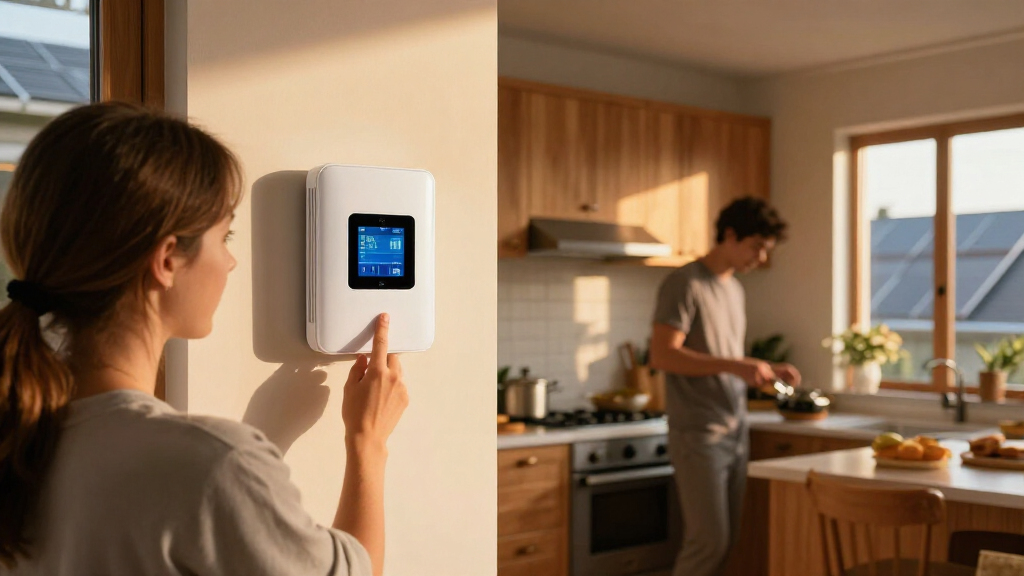
I ranked these products by how well they match the different meanings of “smart energy gateway.” For energy monitors, I focused on circuit coverage, the usefulness of the resulting consumption data, and whether the product fits a home-energy workflow. For smart-home hubs, I weighed supported protocols, platform compatibility, and the likelihood that buyers can connect the devices they already own. I also considered setup demands, ongoing reliance on an app or ecosystem, and the distinction between measuring energy and controlling connected devices.
The ranking favors products with a clear, useful role over gateways whose specifications overlap heavily with several alternatives. The Emporia Vue 3 leads for dedicated energy monitoring; the Meross model earns a strong place for its Home Assistant focus, and the Aeotec V3 stands out among general-purpose hubs for protocol breadth. The SONOFF, Tuya, MOES, and Toyanc options can suit narrower connectivity needs, but they are not substitutes for circuit-level electricity monitoring. Buyers should confirm electrical-panel fit, regional compatibility, and supported devices before choosing any model.
Factors to Consider When Choosing Best Smart Energy Gateways
Before choosing a gateway, decide what you expect it to do: report electrical use, connect smart devices, or support both through a wider home system. These products do not all solve the same problem, and buying by protocol count alone can lead to a hub that cannot deliver the energy data you wanted.
Decide Whether You Need Energy Measurement or Device Connectivity
Start by naming the information or control you want from the system. A circuit monitor can show where electricity is being used, while a Zigbee or Bluetooth gateway generally connects compatible devices to an app or smart-home platform. A gateway label does not automatically mean the product measures household consumption. If you want appliance or circuit usage data, check for current sensors and supported electrical measurements. If you want lights, sensors, or switches to communicate, focus on protocols and device support. Mixing up these two categories is the easiest way to buy a product that works as described but still misses your actual goal.
Check Circuit Coverage Against Your Panel and Monitoring Goals
Circuit count matters only when it matches the way you plan to use the data. Whole-home monitoring can help establish an overall consumption picture, while branch-circuit sensors are more useful for separating major loads. Before buying a panel monitor, check the number and type of circuits it supports, the sensor arrangement, and whether your electrical panel has enough room for installation. Do not assume that a stated circuit count means every appliance will be individually identifiable. Some loads may share circuits, and the monitor may show circuit usage rather than name a device. A licensed electrician can help confirm panel fit and safe installation requirements.
Treat Protocol Support as a Compatibility Checklist, Not a Guarantee
Zigbee, Bluetooth Mesh, Z-Wave, Matter, Wi-Fi, and platform integrations each solve different connection problems. A hub advertising several protocols still may not support every device using them, and some features depend on the manufacturer’s app or a separate controller. Check the exact device model against the gateway’s compatibility list before purchase. Also confirm whether you need a specific hub, account, or internet connection for routine operation. Buyers with an existing SmartThings or Home Assistant setup should prioritize confirmed integration over a longer protocol list. This can prevent a second hub from adding complexity without expanding the devices you can actually use.
Choose the Right Data and Automation Workflow
Energy data is most useful when you can access it in the place where you already manage your home. Some buyers want a straightforward app and historical usage view; others want to combine readings with Home Assistant automations or dashboards. Check what data the system exposes, whether it supports the desired integrations, and whether information is refreshed often enough for your intended use. Real-time readings can support load awareness, but they do not guarantee automatic energy savings. If your goal is to act on high usage, verify that the system can connect monitoring results to an automation or alert workflow. A simple, dependable view may suit more households than a complex setup they will not maintain.
Account for Installation, Maintenance, and Support
Panel-based monitors can require more planning than plug-in smart devices because they involve electrical work and sensor placement. Confirm whether installation is suitable for your skill level and local rules before ordering. For hub products, check whether setup relies on a particular app, cloud account, or network configuration, and consider how you will add or replace devices later. Firmware updates and ecosystem changes can affect long-term compatibility, especially in mixed-brand homes. A product with a narrower feature set may be the easier choice if it fits your current devices and has a clear support path. Make a short list of your existing devices and intended additions before settling on a gateway.
Pay More for a Capability You Will Use
A larger protocol roster or more sensor channels is useful only when it matches a real need in your home. Paying for broad hub support can make sense if you plan to connect devices across several standards, while a focused gateway may be simpler for a single ecosystem. Circuit monitoring is a different investment: its value comes from actionable visibility into household loads, not from controlling smart-home accessories. Avoid buying multiple overlapping hubs before checking whether one platform can connect your existing devices. If you are unsure, prioritize verified compatibility and the core feature you want now, then expand only when a specific limitation appears.
Frequently Asked Questions
Can a Zigbee or Bluetooth gateway monitor my home’s electricity use?
Not by itself in the circuit-monitoring sense. A Zigbee or Bluetooth gateway usually connects compatible devices and passes commands or data between them and an app or platform. To track household or circuit consumption, the product needs dedicated energy-measuring hardware such as current sensors. Some connected plugs can report their own load, but that is not the same as measuring a breaker panel. Check the product’s stated measurement function before treating a general smart-home hub as an energy monitor.
Which type of gateway makes sense if I use Home Assistant?
Start with the integration you need rather than the brand or protocol list. In this roundup, the Meross energy monitor is the standout choice specifically because Home Assistant support is part of its stated positioning. A multi-protocol hub may still work with Home Assistant, but compatibility can vary by device and may require extra configuration. Confirm that the exact monitor or gateway exposes the readings and controls you want in your existing installation. If your goal is energy dashboards, verify access to consumption data before choosing a hub meant mainly for device pairing.
Do I need a separate hub if my smart devices already connect to Wi-Fi?
Not necessarily. Wi-Fi devices may connect directly to a router and their own app, so a separate gateway can add little if your setup already meets your needs. A hub becomes more useful when you have devices using Zigbee, Bluetooth Mesh, or another protocol that needs a bridge, or when you want a shared control platform. Check whether the hub adds the automations or cross-device control you expect, rather than assuming it improves every Wi-Fi product. Also review whether the device maker requires its own hub despite the product using a familiar protocol.
How should I choose between the Emporia Vue 3, Meross monitor, and SEM-Meter?
Compare their stated circuit coverage, integrations, sensor setup, and fit with your electrical panel rather than treating them as interchangeable. The Emporia Vue 3 is the strongest general pick in this roundup for dedicated energy monitoring, while Meross has a clearer draw for buyers prioritizing Home Assistant support. The SEM-Meter’s 16-circuit sensor positioning may suit a buyer whose panel and monitoring plan align with that coverage. Check what each system reports and how you will view or export the data. If panel installation or circuit identification is unfamiliar, get qualified help before selecting a model.
When is the Aeotec V3 a better choice than a Tuya, MOES, or Toyanc gateway?
The Aeotec V3 is a better fit when you want a general-purpose hub with support for several major smart-home standards and platforms, including SmartThings, Z-Wave, Zigbee, and Matter. The Tuya, MOES, and Toyanc models may fit more focused Zigbee, Bluetooth Mesh, or Wi-Fi setups, particularly when your devices already use those ecosystems. The broader list does not remove the need to check specific device compatibility. Match the hub to the devices and controller you already own, then consider which protocols you expect to add. If your main need is energy measurement, none of these general-purpose hub choices replaces a dedicated circuit monitor.
Conclusion
For most buyers seeking household energy data, I’d start with the Emporia Vue 3 as the best overall because it is the clearest dedicated monitoring pick here. The Meross monitor is my best value for Home Assistant users who want circuit-level information tied to that platform, while the Aeotec V3 is the best premium-style hub choice for buyers prioritizing broad smart-home protocol support. Beginners should first decide whether they need energy readings or device connectivity; the Emporia is the more direct starting point for monitoring, while a compatible single-ecosystem hub may be easier for basic device control. For specific needs, choose the SEM-Meter if its 16-circuit coverage fits your panel and plan, or compare the SONOFF, Tuya, MOES, and Toyanc gateways against your exact devices before committing. If you want electricity insights, buy a monitor; if you want devices to communicate, buy a hub.