

When choosing between home run and daisy chain network topologies, consider that home run offers better cable flexibility, easier troubleshooting, and improved reliability, but requires more initial installation effort. Daisy chains save cabling but can create points of failure and complicate maintenance. If you want a setup that’s easier to manage and troubleshoot long-term, home run is your best bet. To understand which suits your environment best, keep exploring the details.
Key Takeaways
- Home run topology offers easier troubleshooting and higher reliability due to isolated, dedicated connections for each device.
- Daisy chain reduces initial cabling and installation effort but increases vulnerability to network disruptions if one device fails.
- Home run setup provides greater flexibility for future expansion and simplified management in larger networks.
- Daisy chain is suitable for space-constrained environments but complicates troubleshooting and decreases overall network stability.
- Overall, home run topology enhances network performance and maintainability, while daisy chain favors simplicity and minimal cabling.
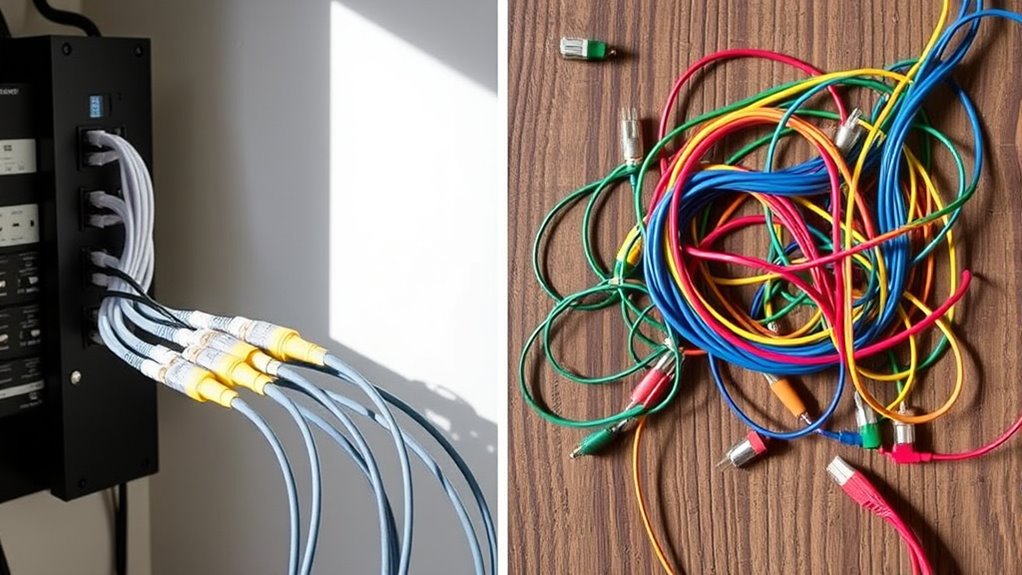
Have you ever wondered which network topology is better for your setup: a home run or a daisy chain? Both options have their strengths and weaknesses, so understanding their differences can help you make an informed decision. Let’s start with cable flexibility. In a home run topology, each device connects directly to a central switch or router with its own dedicated cable. This setup offers high cable flexibility because you can run individual cables from each device to the hub, making it easier to manage and adapt to changes. If you need to add or remove devices, you simply run or disconnect a single cable, which makes the process straightforward. On the other hand, a daisy chain connects multiple devices in a series, with each device linked to the next. While this can reduce the amount of cable needed overall, it makes cable management more complex. If one device fails or gets disconnected, the entire chain can be disrupted, and troubleshooting can become a challenge. Additionally, network topology plays a crucial role in determining overall reliability and performance.
When it comes to installation complexity, a home run setup generally requires more planning upfront. You need to run individual cables from each device to the central point, which can be time-consuming, particularly if your space is large or tricky to access. However, once installed, maintaining or expanding the network becomes easier because each connection is isolated. Conversely, a daisy chain setup usually involves less initial effort because fewer cables are needed, but the overall installation might be more complicated due to the need to carefully connect each device in sequence. If you’re not experienced with cable routing, this can lead to confusion and potential issues down the line. Moreover, troubleshooting a daisy chain can be more complicated since identifying a fault often requires checking multiple links in the chain, whereas in a home run topology, you can test individual cables directly at the connection point.
Ultimately, your choice depends on your specific needs and environment. If you prioritize easy management, flexibility, and scalability, a home run topology might suit you better, despite the potentially increased initial effort. If you’re more concerned with minimizing cable runs and are okay with the potential for network disruptions if one device fails, a daisy chain could work. Careful consideration of cable flexibility and installation complexity will help you select the best topology for your network, ensuring you get a reliable setup that meets your needs now and in the future.
Frequently Asked Questions
Which Wiring Method Is More Cost-Effective for Large Installations?
You’ll find that daisy chain wiring is more cost-effective for large installations because of its lower material costs and easier setup. The cost comparison favors daisy chains, especially when you consider reduced labor and simpler installation complexity. However, keep in mind that daisy chains can be less reliable and harder to troubleshoot, so weigh these factors against your budget and long-term maintenance needs before deciding.
How Does Wiring Method Affect System Troubleshooting Time?
A stitch in time saves nine, and your wiring method impacts troubleshooting efficiency. With a home run setup, you gain greater wiring flexibility, making it easier to isolate problems quickly. Daisy chains, however, can complicate troubleshooting, as a fault may disrupt multiple connections. Choose the wiring method that best supports your system’s complexity, helping you reduce troubleshooting time and avoid unnecessary delays.
Are There Specific Safety Concerns Unique to Each Wiring Type?
You should consider that each wiring method impacts electrical safety and installation flexibility differently. Home run wiring offers better electrical safety because each device has its own dedicated circuit, reducing overload risks, but it’s less flexible for modifications. Daisy chain wiring is more flexible and easier to install but can pose safety concerns if a single fault disrupts multiple devices. Always prioritize proper insulation and adherence to safety standards regardless of your wiring choice.
Can a Combination of Both Wiring Methods Be Advantageous?
Yes, combining both wiring methods can be advantageous. Hybrid configurations offer wiring flexibility, allowing you to optimize your electrical setup for safety and accessibility. You can use home run wiring for critical or high-load circuits, ensuring better control and safety. Meanwhile, daisy chaining can simplify connections for less demanding circuits, saving space and materials. This approach enables you to tailor your wiring system to meet specific needs efficiently.
How Do Future Expansion Plans Influence the Wiring Choice?
Your future expansion plans should heavily influence your wiring choice. If scalability challenges are a concern, a home run system offers easier, more straightforward expansion, providing better installation flexibility. Daisy chaining, while cost-effective initially, can become complicated as you add more devices, potentially limiting future growth. Consider your long-term needs carefully to select a wiring method that supports seamless expansion and minimizes ongoing maintenance challenges.
Conclusion
Whether you choose a home run or daisy chain wiring setup depends on your priorities. For example, if you want easier troubleshooting and better reliability, a home run system is ideal. However, if cost and simplicity matter more, a daisy chain might work. Imagine installing a home run for your main living room outlets and daisy chaining other less critical circuits. This way, you make certain of safety and convenience where it counts most.