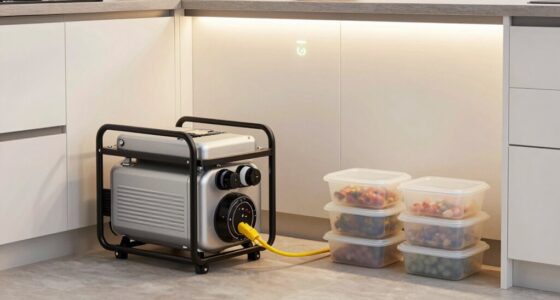
Use this guide to plan which household essentials a portable power station can run, check whether your station can support them, and set it up safely for an outage. It is for homeowners and renters with basic familiarity using household appliances; no electrical installation skills are needed. Allow 1–3 hours to make an appliance list, calculate loads, and prepare a safe location. A station can keep selected devices running, but its limits depend on its output, stored energy, and the appliances you connect.

Get backup power and energy gear delivered free with Prime
- Fast, free delivery on millions of items
- Prime Video, Amazon Music and more included
- Member-only deals all year

Jackery HomePower 3600 Plus Power Station, 3584Wh, 3600W AC Output
- ✔ Capacity: 3,584Wh
- ✔ AC output: 3,600W
- ✔ Parallel output: Up to 7,200W

BLUETTI Elite 30 V2 Portable Power Station 288Wh 600W LFP Solar Generator
- ✔ Capacity: 288Wh
- ✔ Continuous output: 600W
- ✔ Surge / lifting mode: 1,500W

Jackery Explorer 300 Portable Power Station, 292Wh
- ✔ Capacity: 292Wh
- ✔ Rated output: 300W
- ✔ Peak output: 600W
Difficulty: Beginner | Time: 1–3 hours for planning and setup
What You’ll Need
Tools & Materials:
- Portable power station with its manual and charging cable
- Appliance labels or manuals showing watts or amps
- Calculator or paper and pen
- Extension cords rated for the loads, if needed
- Flashlight to check labels and connections
Knowledge:
- Basic familiarity with plugging in household appliances
- Ability to read a device label or manual for power ratings
Use the station only as its manufacturer directs. Keep it dry, ventilated, and away from heat. Never connect a power station to a home outlet to feed household wiring; backfeeding can endanger utility workers and damage equipment. A connection to a transfer switch or home circuits must be installed or approved by a qualified electrician.
Jackery HomePower 3600 Plus Power Station, 3584Wh, 3600W AC Output
For a home outage plan that extends beyond phones and a router, the Jackery HomePower 3600 Plus is the clear lead in this lineup. Its 3,584Wh capacity and 3,600W output far exceed the two compact stations, making it the only pick here positioned for a broader mix of household loads. The description also cites 120V and 240V operation in parallel, plus expansion up to 21kWh per unit. Those details point toward a system that can grow, although the parallel setup and added equipment need to be understood before purchase.That capability comes with practical constraints. At 77.2 pounds, it is portable in the sense that wheels and a telescoping handle aid movement, not in the sense of an easy one-hand carry. It also lists just two outlets, so buyers should plan how devices connect rather than assume a large bank of receptacles. Compared with the BLUETTI and Explorer, it is substantially better suited to keeping multiple essentials running for longer, but it is less convenient to stash or reposition.The product description claims a three-person household can be powered for over two weeks, but real duration depends heavily on what is connected and how often. We would treat this as the strongest foundation for backup in this comparison, not a promise of whole-home service. Buyers who need uninterrupted transfer should also verify the MTS requirements and installation details: the listing says plug-and-play when paired with MTS, not that a transfer switch is included.
Pros:
- 3,584Wh capacity is far larger than either compact option.
- 3,600W AC output offers more headroom for household devices.
- Expandable capacity and parallel operation are listed for future system growth.
- Wheels and a telescoping handle help move the heavy station around the home.
Cons:
- Listed weight of 77.2 pounds makes lifting and transport difficult.
- Only two outlets are listed, so connection planning may be needed.
- MTS and parallel-system requirements should be confirmed for the intended backup setup.
Best for: Households seeking a larger portable reserve for several essential loads and willing to accommodate a heavy wheeled unit.
Not ideal for: Buyers who need a lightweight grab-and-go battery, have a very limited storage footprint, or expect included whole-home transfer hardware.
Bottom line: Choose the HomePower 3600 Plus when a larger energy reserve and higher output matter more than easy lifting and simple plug-in use.
“Choose the HomePower 3600 Plus when a larger energy reserve and higher output matter more than easy lifting and simple plug-in use.”
BLUETTI Elite 30 V2 Portable Power Station 288Wh 600W LFP Solar Generator
The BLUETTI Elite 30 V2 fills the gap between a small electronics battery and a larger home reserve. Its 600W continuous output doubles the Explorer 300’s rated 300W output, and the listing gives a 1,500W power-lifting mode for certain loads. That makes it the more flexible compact choice when an outage plan includes devices with higher startup or operating demands. Power lifting should not be read as a general-purpose 1,500W continuous rating; buyers should check appliance compatibility.For home backup, its standout is the stated 10ms UPS switch, which may suit devices that need a quick changeover, such as a router or computer. It also claims 0–80% charging in 45 minutes from AC and offers solar and car charging. Those features make it easier to replenish between interruptions than the Explorer’s stated four-hour charge time, though charging speed depends on the source and settings.The limitation is the battery itself: 288Wh is still a short reserve. Compared with the HomePower’s 3,584Wh, it is built for selected essentials, not an extended household outage. At around 9.5 pounds, it is also heavier than the Explorer while holding slightly less energy. We rank it above the Explorer for backup functionality and output, but buyers prioritizing the longest runtime in this lineup should choose the HomePower instead.
Pros:
- 600W continuous output exceeds the Explorer 300’s 300W rating.
- Stated 10ms UPS switch is useful for selected electronics.
- AC, solar, and vehicle charging provide several replenishment options.
- Fast AC charging can reduce downtime between outages.
Cons:
- 288Wh capacity limits runtime for home backup.
- Power-lifting mode does not replace a higher continuous-output rating.
- At about 9.5 pounds, it is heavier than the Explorer despite slightly lower capacity.
Best for: People who want a compact station for critical electronics, value quick UPS switching, and need more output headroom than the Explorer 300 provides.
Not ideal for: Households planning extended backup for multiple appliances or anyone treating power-lifting mode as sustained high-wattage output.
Bottom line: Pick the Elite 30 V2 for compact backup with stronger output and UPS features, while keeping expectations modest about runtime.
“Pick the Elite 30 V2 for compact backup with stronger output and UPS features, while keeping expectations modest about runtime.”
Jackery Explorer 300 Portable Power Station, 292Wh
If an outage plan means keeping a few small devices alive, the Jackery Explorer 300 is the easiest model here to carry and store. It lists 292Wh of capacity, 300W output, and a 7.1-pound weight, making it lighter than the BLUETTI and much easier to move than the HomePower. Its two AC outlets and USB ports can support a modest electronics setup, while the 100W USB-C PD port is useful for compatible devices.Its compactness also defines its limits. The Explorer has just over one tenth of the HomePower’s listed capacity and half the Elite’s continuous output. That makes it a poor match for high-draw appliances or for keeping several devices running through a long outage. The product details claim a four-hour charge time and describe solar charging, but the included items do not include a solar panel. Buyers who need faster restoration or a UPS feature should look to the BLUETTI instead.The supplied description calls this an LFP model and claims more than 4,000 charge cycles to 70% capacity. Those are notable durability claims, but they do not change the central buying decision: this is an essentials battery, not a household power station in the larger-backup sense. We place it third overall because its portability is excellent, while its output and energy reserve are the most restrictive in the group.
Pros:
- Lightest listed model at 7.1 pounds.
- 292Wh capacity is slightly higher than the Elite 30 V2’s 288Wh.
- Two AC outlets plus USB-C, USB-A, and car outputs support varied small electronics.
- Solar charging is supported when paired with a separately purchased panel.
Cons:
- 300W rated output is the lowest in this comparison.
- Small capacity restricts runtime during a home outage.
- Solar panel is not included, and no UPS switch is specified.
Best for: Someone who wants a light, easy-to-store backup for phones, a laptop, a router, or other low-draw essentials.
Not ideal for: Buyers who need a UPS transfer feature, higher-wattage appliance support, or backup that lasts through a prolonged outage.
Bottom line: Choose the Explorer 300 when portability for a few essentials outweighs the need for appliance power or extended backup.
“Choose the Explorer 300 when portability for a few essentials outweighs the need for appliance power or extended backup.”
As an Amazon Associate we earn from qualifying purchases.
Before You Start
Check the station’s manual for its continuous AC output, surge rating, battery capacity in watt-hours (Wh), charging limits, and temperature range. Do not assume that a large battery capacity means it can start a high-powered appliance: output and startup surge limits matter too. For medically necessary equipment, follow the care provider’s backup plan and confirm that the station supports the equipment for the needed duration.
Choose essential loads before an outage. Common candidates include phones, a modem, LED lights, and some small medical or kitchen devices. Refrigerators, space heaters, kettles, pumps, and air conditioners may draw high power or have large startup surges. Never operate a fuel-burning generator or appliance indoors as a substitute for power.
Step-by-Step Instructions
Step 1: List the appliances you need to power
Write down each device you want to run, its wattage, and how many hours you expect to use it each day. Read the device label or manual. If a label gives volts and amps instead of watts, estimate watts by multiplying volts by amps; actual consumption can vary. Separate must-run devices from optional ones so you can prioritize if the station has limited capacity.
Tip: Include chargers and lights individually. For devices with motors or compressors, note the model and check its starting-power requirement in the manual.
Check: Your list names each priority appliance and has a power estimate and planned usage time for each.
Step 2: Check output and startup limits
Compare the total watts of devices you plan to run at the same time with the station’s continuous output limit. Keep the combined running load below that limit. Then check the surge rating against the startup needs of any refrigerator, pump, or other motor-driven device. If the appliance’s starting demand is unknown or exceeds the station’s rating, leave it off and consult the appliance or station manufacturer.
Tip: A station may power a device once it is running but fail when its compressor starts. Starting devices one at a time can help only when their startup needs are within the station’s surge rating.
Check: Every planned combination stays within continuous output, and each motor-driven appliance’s startup demand is within the surge rating.
Step 3: Estimate how long the battery will last
Add the expected energy use for your planned devices: multiply each device’s watts by the hours you expect to run it, then add the results for watt-hours. Compare that daily estimate with the station’s battery capacity. AC conversion and other operating losses reduce usable energy, so treat the capacity label as an upper bound and plan for shorter runtime. For variable-use appliances, use a measured consumption value if the manufacturer provides one.
Tip: For example, a 10-watt light used for 5 hours uses about 50 Wh. A refrigerator cycles on and off, so multiplying its running watts by a full day can overstate or understate actual use; use its energy label or a suitable meter reading where available.
Check: You have a rough runtime plan and know which devices to switch off first if the battery falls faster than expected.
Step 4: Charge and inspect the station
Charge the station using an approved method and cable, following the manual. Before an outage, check that the case, ports, cable, and plug show no damage, and learn how to read the battery indicator and AC output controls. Do not use damaged equipment, cover ventilation openings, or charge in a wet location.
Tip: If you plan to recharge from solar panels, confirm the panel voltage and current fall within the station’s specified input range and use the required connector.
Check: The station indicates a charge level appropriate for your plan, and its ports and cables are intact.
Step 5: Choose a safe, accessible location
Place the station on a stable, dry surface where air can circulate around it and where the display and controls remain accessible. Keep it away from rain, sinks, heaters, direct heat, and anything that could block its vents. Route cords where people will not trip over them, and keep the station out of reach of children and pets.
Tip: Follow the manual’s clearance and temperature requirements. Do not run the station in a sealed cabinet or leave it where water could reach it.
Check: The station is stable, dry, ventilated, and reachable without creating a trip hazard.
Step 6: Connect priority devices directly
Turn on the station’s AC output if needed, then plug in one priority device at a time. Use the station’s built-in outlets or a properly rated extension cord. Keep the combined load within the continuous limit and avoid daisy-chaining power strips or cords. Do not connect the station to a wall outlet or household circuit unless a qualified electrician has installed an approved transfer arrangement.
Tip: Start with low-power loads. Add a refrigerator or other motor-driven appliance only after checking its surge requirement and the station’s instructions.
Check: Each connected device operates normally, and the station shows a load below its output limit with no overload warning.
Step 7: Monitor use and manage runtime
Check the station display periodically for load, remaining charge, and warnings. Turn off devices that are not needed, and unplug chargers when charging is complete. If the station approaches its low-battery limit, switch off optional loads before essential ones. Recharge only by an approved method and within the stated input limits.
Tip: A displayed runtime estimate can change as appliances cycle or the load changes. Use it as a guide, not a guarantee.
Check: The essential devices stay powered, the station remains within its limits, and you can identify which loads to shed as charge drops.
Step 8: Shut down and store it after use
Turn off appliance loads, switch off the station’s output, and disconnect devices by their plugs. Let the station cool if the manual calls for it, then recharge or store it as directed. Check the manual for the recommended storage charge and inspection schedule, and keep the station and cables in a dry place.
Tip: Battery storage and maintenance instructions vary by model. Follow the manufacturer’s directions rather than leaving the station permanently empty or assuming it should stay fully charged.
Check: The outputs are off, cables are undamaged, and the station is stored at the manufacturer’s recommended charge and conditions.
Common Mistakes to Avoid
- Choosing a station by battery capacity alone. — Check continuous output and surge rating as well as Wh capacity before connecting appliances.
- Assuming the station can power the whole home through a wall outlet. — Use direct connections to the station or have a qualified electrician install an approved transfer switch or interlock.
- Running a high-demand appliance alongside other loads without checking their combined demand. — Add up simultaneous watts, account for motor startup surge, and shed optional loads when needed.
- Placing the station where moisture, heat, or blocked ventilation can affect it. — Use a dry, stable, ventilated location within the temperature and clearance limits in the manual.
Troubleshooting
Problem: The station shuts off or shows an overload warning when an appliance starts.
Solution: Unplug the appliance and switch off AC output. Check its startup demand against the station’s surge rating and reduce other loads. Do not repeatedly restart an appliance that exceeds the station’s limits.
Problem: The battery runs down sooner than expected.
Solution: Check the displayed load and turn off optional devices. Recalculate using actual usage hours and remember that AC conversion losses reduce usable capacity. Use a lower-power device or approved recharge method if available.
Problem: A device does not power on even though the station has charge.
Solution: Confirm the correct output is enabled, the plug is fully seated, and the device’s power needs fit the station’s output and surge limits. Check the manual for any output mode or reset instructions.
Problem: The station or cable becomes unusually hot, damaged, wet, or emits an odor.
Solution: Stop using it, turn off output if safe, and disconnect loads without touching wet or damaged parts. Keep it away from combustible materials and contact the manufacturer or a qualified service provider. Do not open the battery case.
What Success Looks Like
Your essential devices run from the station without overload warnings, the combined load and startup needs remain within the published limits, and the battery lasts for the planned period or gives a clear signal when loads need to be reduced. The station remains dry, ventilated, and free of damage. Household wiring is powered only through an approved transfer arrangement installed or approved by a qualified electrician.
Next Steps
After an outage, recharge the station according to its manual and inspect the case, ports, and cables. Update your appliance list if actual runtime differed from the estimate. Test your plan periodically before the next outage, and ask a qualified electrician about a transfer switch if you want to supply selected home circuits.
Frequently Asked Questions
Can a portable power station run my refrigerator?
Possibly. Check the refrigerator’s running and startup power against the station’s continuous and surge ratings. Estimate runtime from its energy use, since the compressor cycles. Test the setup while you can monitor it, and do not rely on an unverified estimate for food safety planning.
Can I plug the power station into a wall outlet to power my home?
No. Plugging it into a household outlet can backfeed wiring and create a shock or fire hazard. To power home circuits, use an approved transfer switch or interlock installed by a qualified electrician.
Can I recharge the station with solar panels during an outage?
Only if the station supports solar charging. Confirm the panel’s voltage, current, connector, and total input stay within the station’s specifications, and follow the manufacturer’s setup instructions. Keep electrical connections dry.
How much battery capacity do I need?
Add the watt-hours for the devices you need to run over the planned period, then allow extra capacity for conversion losses and changing use. Also check that the station can supply the devices’ combined running watts and any startup surge; capacity alone does not determine compatibility.