
TL;DR
Open a free Amazon Business account
Business pricing, bulk buying and tax-exempt orders.
Create a free accountAs an affiliate, we earn on qualifying purchases.
Moving your rig into a closet or away from your workspace can cut noise dramatically without expensive treatments. Proper placement, ventilation, and sealing are key. Foam alone won’t stop sound leaks; focus on barriers and airflow to get the best results.
Imagine turning a tiny closet into your personal recording studio—quiet, focused, and free of annoying echoes. The secret isn’t just adding foam panels; it’s about where you put your rig and how you manage heat and sound escape. Placement and acoustic management are key. If your goal is a peaceful workspace or a professional-sounding vocal booth, consider relocating your setup into a closet. But it’s not just about shoving everything in there. You need to understand the tricks of placement, ventilation, and sealing to make it work.
This guide cuts through the noise—literally—and shows you how to turn that cramped closet into a high-quality, low-noise zone. Whether you’re recording vocals, running AI inference rigs, or just trying to keep your gaming noise contained, you’ll learn practical strategies to maximize your space and minimize your sound leaks.
Acoustic dampening
& the rig in the closet.
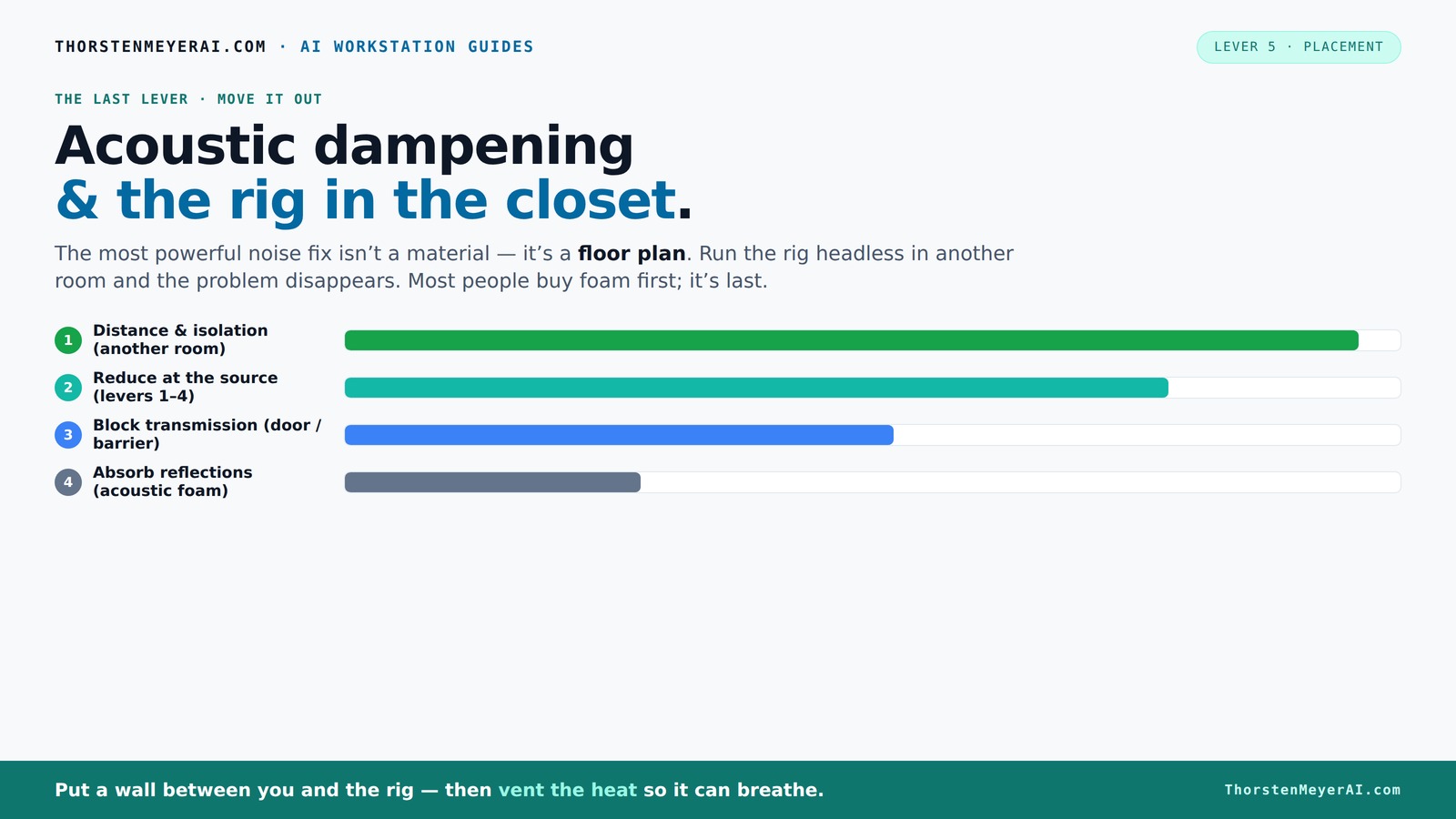
The most powerful noise fix isn’t a material — it’s a floor plan. A rig you can’t hear because it’s in another room beats any amount of foam. Tap the approaches in Part 1 to see what actually works.
(another room)
(levers 1–4)
(door / barrier)
(acoustic foam)
Contain the noise, not the heat
Key Takeaways
- Moving your rig into another room or closet can drastically reduce noise without adding foam or barriers.
- Ventilation is critical—use active airflow or soundproof cabinets to prevent heat buildup in a closet setup.
- Target reflection points for placement of acoustic panels—don’t just cover everything indiscriminately.
- Sealing gaps around doors and vents is often more effective than adding more foam or bass traps.
- Choose a microphone suited to small, treated spaces—dynamic mics often outperform condensers in tiny, reflective rooms.
As an affiliate, we earn on qualifying purchases.
Why Moving It Matters More Than Adding Foam
Distance is the most effective way to silence noise from your rig. Think of your setup like a loud neighbor—if you can put a wall between you, the noise drops significantly. For AI workstations or gaming rigs, the loudest sounds come from fans and GPUs. When you place the rig in another room or a closet, the sound no longer reaches you. This simple move outperforms any foam panel or acoustic treatment on your desk.
Why does this matter? Because absorption materials like foam only reduce sound reflections within a space—they don’t prevent the noise from escaping into other areas. Moving the source itself cuts off the problem at its root, often with less effort and expense. It also means you can keep your workspace free of clutter and noise, improving your focus and productivity. However, this approach requires considering logistics—how to access your rig, maintain airflow, and ensure safety. The tradeoff is that relocation might complicate your setup but yields the most significant noise reduction.
For example, a friend of mine shifted his noisy mining rig to a basement closet. His desk was suddenly silent, and he only had to deal with a faint hum through the wall. All the soundproofing foam he bought was secondary to just moving the machine away. This shows that the physical separation is often more impactful than adding layers of absorption inside the same room.
So, the first step: don’t just treat your room—consider relocating the source, especially if noise is your main issue. This tactic often offers the best return on investment in terms of noise reduction and simplicity.
acoustic foam panels for home studio
As an affiliate, we earn on qualifying purchases.
As an affiliate, we earn on qualifying purchases.
The “Rig in the Closet” Setup — How to Ventilate Without Losing Silence
Placing your rig inside a closet can be a game-changer, but it’s a double-edged sword. Sealed spaces trap heat, which can cook your hardware, leading to thermal throttling or hardware failure. Proper ventilation is essential. The key is to give your machine a way to breathe without letting sound escape. Proper ventilation is critical because overheating can reduce your equipment’s lifespan and performance, negating the benefits of soundproofing.
Effective strategies include installing a small, quiet exhaust fan or passive vents that allow airflow while minimizing noise transmission. Learn more about ventilation solutions for closet rigs. For instance, ducted airflow with insulation can channel heat outside without creating sound leaks. This setup acts like a mini HVAC system—keeping your hardware cool while maintaining acoustic isolation. Companies build soundproof cabinets with temperature sensors and controlled fans, illustrating how integrated cooling solutions can balance heat and sound management.
Why is this balance important? Because neglecting ventilation can turn your closet into a sauna, damaging your equipment and making the space unusable. On the other hand, poorly designed ventilation can let sound escape, defeating your soundproofing efforts. The tradeoff involves choosing between adequate airflow and acoustic isolation, often requiring custom solutions or high-quality soundproofed fans.
Learn more about balancing heat and noise here: reduce heat and noise in AI workstations.
In summary, effective ventilation is not just about cooling; it’s about maintaining the integrity of your soundproofed environment. Investing in a purpose-built, well-insulated airflow system can save your hardware and your sanity, ensuring your closet rig is both cool and quiet.
soundproofing barriers for equipment
As an affiliate, we earn on qualifying purchases.
As an affiliate, we earn on qualifying purchases.
Planning Your Space: Defining the Area and Acoustic Goals
Before setting up your closet rig, it's essential to define what you want to achieve acoustically. For more tips, see home improvement ideas. Are you aiming for near-perfect sound isolation for professional recordings, or just a quieter environment for gaming and AI work? Clarifying your goals helps determine the level of treatment and ventilation needed. Measure your closet's dimensions and identify the main sources of sound leakage and reflection points. This step ensures you focus your efforts on the most impactful areas.
Once you've established your goals, plan your layout. Place the hardware away from shared walls or doors, and consider using a combination of foam panels, bass traps, and reflection filters tailored to your specific needs. Remember, targeted placement is more effective than covering everything indiscriminately. Properly sealing gaps around doors, vents, and any cable entry points is equally vital to prevent sound leaks.
By defining your space and objectives clearly, you create a roadmap for your setup that balances soundproofing, ventilation, and accessibility. This strategic planning minimizes unnecessary work and maximizes the effectiveness of your modifications.
quiet computer or server enclosure
As an affiliate, we earn on qualifying purchases.
As an affiliate, we earn on qualifying purchases.
Frequently Asked Questions
Can a closet really become a usable vocal booth?
Yes, with proper treatment, sealing, and ventilation, a closet can serve as an effective vocal booth. Focus on reflection points, sealing gaps, and adding ventilation to keep it both quiet and cool.What’s the best way to block sound leaks around the door?
Use weatherstripping, thick blankets, or acoustic door seals. Layering blankets outside and sealing cracks with acoustic sealant can dramatically cut down on sound escaping. For additional soundproofing tips, visit soundproofing your closet.How thick should the panels be in a tiny room?
For most small rooms, 2-inch panels are sufficient for mid and high frequencies. If you're dealing with low-end boominess, consider 4-inch panels or bass traps to tame those frequencies.Should I treat the walls, ceiling, or floor first?
Prioritize reflection points—behind the mic, side walls, and ceiling. Address the floor with a rug or carpet to reduce reflections, then seal gaps around the door and vents.How do I keep my rig cool in a sealed closet?
Use a small, quiet exhaust fan or passive vents to promote airflow. For larger setups, consider a purpose-built soundproof cabinet with temperature controls and ducted airflow.Conclusion
Turning a closet into a quiet workspace or recording booth is absolutely doable—if you understand the two biggest levers: placement and ventilation. Focus on moving your rig away from your desk, sealing gaps, and providing airflow. That’s what makes a closet setup work—not just slapping on foam.
Next time you complain about noise, ask yourself: could the real solution be just a door, a gap, or a vent? Sometimes, the simplest move makes the biggest difference. Your quiet workspace is closer than you think—just behind that closet door.
Fall Picks
fall essentials
As an affiliate, we earn on qualifying purchases.