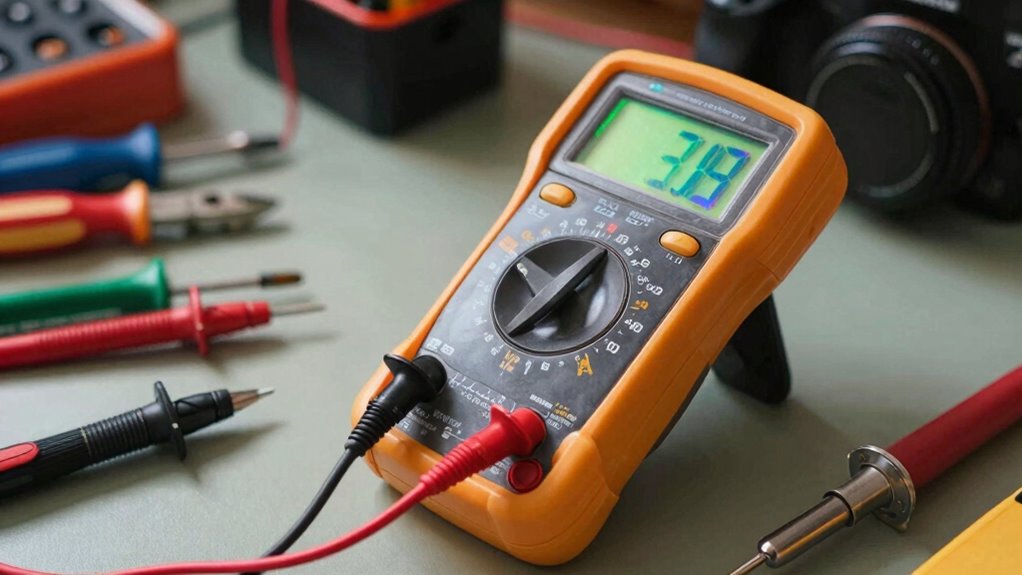

To get started with a multimeter, learn how to select the right measurement mode—voltage, current, or resistance—and connect the probes correctly, with black to COM and red to the appropriate port. Always begin with the highest range to avoid damage. Make sure to turn off power before measuring resistance, and regularly calibrate your device for accuracy. Mastering these basics will help you troubleshoot and test electrical systems safely—more useful tips await you as you explore further.

Get backup power and energy gear delivered free with Prime
- Fast, free delivery on millions of items
- Prime Video, Amazon Music and more included
- Member-only deals all year
Key Takeaways
- Learn to select the correct measurement mode (voltage, current, resistance) before testing.
- Always start with the highest range to prevent damage and ensure safety.
- Properly connect probes: black to COM, red to measurement port, and double-check connections.
- Turn off power when measuring resistance to avoid false readings and device harm.
- Regular calibration enhances measurement accuracy and prolongs multimeter lifespan.
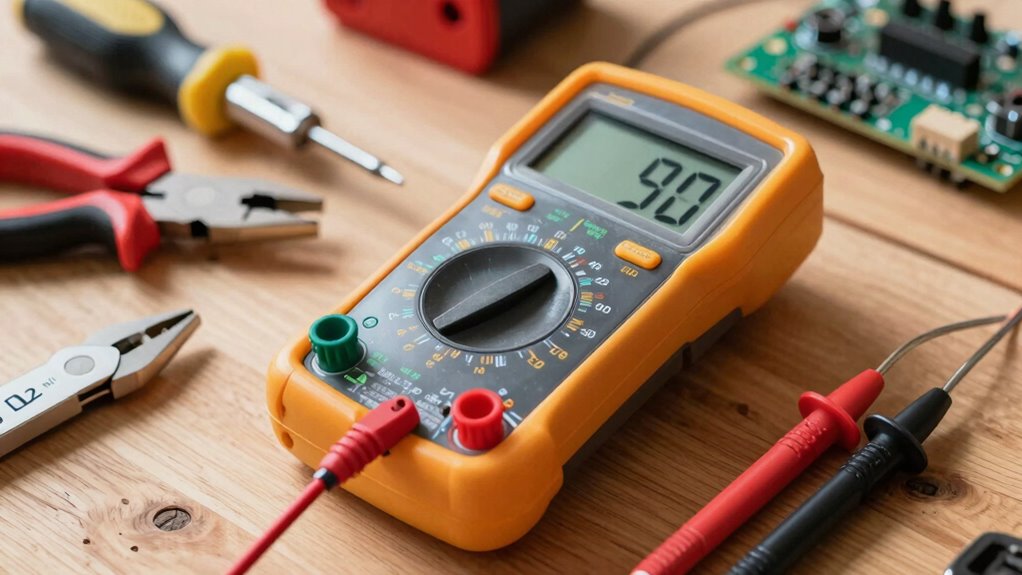
Have you ever wondered how to measure electrical voltage, current, or resistance accurately? If you’re just starting with a multimeter, that question might seem intimidating, but with a solid understanding of the basics, you’ll become confident quickly. The core skills involve knowing how to select the right measurement mode, reading the display correctly, and handling the device safely. To get precise results, advanced calibration becomes vital, especially if you work with sensitive electronics or need high accuracy. Regularly calibrating your multimeter ensures that your readings stay reliable over time, and some models even allow for easy calibration adjustments. When troubleshooting electrical issues, accurate measurements are essential, and mastering troubleshooting techniques helps you identify problems efficiently—whether it’s a faulty wire, a dead battery, or a blown fuse. Additionally, understanding the importance of proper calibration can significantly improve measurement accuracy and device longevity.
Understanding the different functions on your multimeter is step one. You’ll use the voltage setting (V) to measure electrical potential difference, the current setting (A or mA) to check how much current flows through a circuit, and the resistance setting (Ω) to test components like resistors or to verify continuity. Always start with the highest range if you’re unsure of the expected reading to prevent damaging the device. When measuring voltage or current, ensure the probes are connected correctly—black to common (COM) and red to the appropriate port for the measurement. Resistance measurements typically involve disconnecting power from the circuit to avoid false readings or damage. Knowing how to interpret the readings accurately is crucial, especially when working with complex electronic systems.
Use the correct settings and connections to ensure accurate multimeter measurements and protect your device.
Troubleshooting techniques are fundamental for diagnosing faults. For example, if your circuit isn’t working, you can check the voltage at different points to see where the power drops off, or test the resistance of a component to verify if it’s functioning correctly. If your measurements seem inconsistent, advanced calibration can help. Some multimeters have self-calibration features, but for others, you might need to perform manual adjustments or send the device for professional calibration. Accurate readings depend on this calibration, especially when working with delicate or complex electronics. Remember, safety is paramount—always turn off power before measuring resistance, and double-check your connections.
Mastering these basics, along with advanced calibration and troubleshooting techniques, will give you the confidence to handle most electrical tasks. Whether you’re testing batteries, repairing appliances, or working on DIY projects, understanding these essential principles guarantees you get accurate data and avoid costly mistakes. With practice, you’ll develop a sense of how your multimeter responds and learn to interpret readings quickly, making your electrical work safer and more effective.
digital multimeter for beginners
As an affiliate, we earn on qualifying purchases.
As an affiliate, we earn on qualifying purchases.
Frequently Asked Questions
How Do I Choose the Right Multimeter for My Needs?
To choose the right multimeter, consider the types available—digital or analog—and what measurements you need, like voltage, current, or resistance. Think about measurement units; some multimeters measure in volts, millivolts, or amperes. If you’re working on electronics, a digital multimeter with precise readings and additional features works best. For basic tasks, a simple multimeter with essential functions will do. Match your needs with the multimeter’s capabilities for accurate results.
Can I Use a Multimeter to Test Household Appliances?
Did you know that over 80% of household electrical problems can be diagnosed with a multimeter? Yes, you can use a multimeter for testing household appliances. It helps you check voltage levels, ensuring appliances get the right power, and resistance measurement to identify faulty components. Just be cautious, unplug appliances before testing, and follow safety guidelines to avoid electric shocks. Proper use makes troubleshooting safer and more effective.
What Safety Precautions Should I Follow When Using a Multimeter?
When using a multimeter, prioritize electrical safety and proper handling at all times. Always wear insulated gloves and avoid working on live circuits unless necessary, ensuring the multimeter is set to the correct measurement mode. Keep your hands dry and stand on an insulated surface. Double-check your connections before testing, and turn off power if possible. These precautions help prevent shocks, short circuits, and equipment damage.
How Do I Calibrate a Multimeter for Accurate Readings?
To calibrate your multimeter for accurate readings, start with calibration procedures by comparing it against a known voltage or resistance standard. Verify accuracy by measuring a certified reference source, ensuring your readings match within the multimeter’s specified tolerance. Adjust the calibration settings if your multimeter allows, or note any discrepancies for future reference. Regular calibration and accuracy verification help maintain your multimeter’s reliability and precise measurements.
What Are Common Mistakes to Avoid When Using a Multimeter?
Think of using a multimeter like steering a river; rushing ahead without caution can cause you to miss essential details. When measuring voltage or testing current, avoid common mistakes like neglecting to switch to the correct mode, ignoring proper connections, or testing without power off. Always double-check your settings, keep your probes steady, and remember that rushing can lead to inaccurate readings or even damage. Patience guarantees safe, accurate results.
As an affiliate, we earn on qualifying purchases.
Conclusion
Don’t let the complexity of a multimeter scare you away. With these basics, you’re already on your way to mastering it. Some might think you need to be an expert to use one effectively, but that’s not true. Practice makes perfect, and every small step builds your confidence. Keep experimenting, stay safe, and soon you’ll be diagnosing electrical issues with ease. Remember, every pro started just where you are now—learning and trying.
As an affiliate, we earn on qualifying purchases.
As an affiliate, we earn on qualifying purchases.
Halloween Picks
halloween
As an affiliate, we earn on qualifying purchases.