TL;DR

Get backup power and energy gear delivered free — and shop member deals
- Fast, free delivery on millions of items
- Access to Prime Big Deal Days deals on October 6–7
- Prime Video, Amazon Music and more included
A solar backup power station is a rechargeable battery with an inverter and charging inputs that can run selected household devices during an outage. Size it by estimating device energy use in watt-hours, checking continuous and surge output, and matching its solar-input limits to compatible panels; a portable unit is not automatically whole-home backup.
A battery rated at 1,000 watt-hours sounds like it can run a 1,000-watt appliance for an hour. In practice, inverter losses and reserve limits shorten that run—and the appliance may need more power just to start. That difference can turn a well-planned outage kit into a dark room and a dead battery.
Solar backup power stations can keep a router, phone, lights, or selected appliances running without the noise and exhaust of a fuel generator at the point of use. But the right choice depends on more than the big capacity number on the box. You’ll learn how to match capacity and output to your devices, what solar charging can realistically do, and where portable backup stops and home electrical work begins.
Think of a station as a fuel tank with an electrical gate: watt-hours tell you how much energy it holds, while watts tell you how much power can flow out at once. Understand both, and you can buy for the outage you expect—not a claim on a product page.
Treat a solar backup power station as a battery that stores and converts electricity, not as a device that generates power by itself.
Estimate device energy in watt-hours, then check both continuous output and startup surge before choosing a model.
Solar charging depends on sunlight, panel setup, and the station’s input limits; rated panel output is not all-day output.
Portable stations usually power devices through their own outlets; household wiring needs compatible transfer equipment and proper installation.
Check usable capacity, cycle-life details, safety certifications, warranty, and weight alongside the headline price.
What a Solar Backup Power Station Actually Does
A solar backup power station is a portable battery system that stores electricity and delivers it to household devices through built-in outlets. Most combine a battery, an inverter, charging inputs for wall power or a vehicle, and ports for compatible solar panels. It stores and converts power; it does not make electricity on its own.
The term “solar generator” often appears in product listings, but it can give the wrong impression. A generator creates electricity; a battery station holds energy supplied by a wall outlet, car, or solar panel. For example, a family might charge a station from the grid before a storm, then use its AC outlet to power a modem and LED lamp when the lights go out.
That’s why asking what readers should expect from a solar backup means starting with the devices, not the marketing name. The station is a system that stores energy and passes it through an inverter, which changes battery power into the AC electricity many household devices use. USB and DC ports can feed compatible devices directly.
A typical portable unit powers equipment plugged into its own outlets. It does not automatically energize your home’s wiring. If you want backup for selected circuits, use equipment designed for that purpose and have the setup installed correctly. Never feed power into a household outlet to energize circuits; that can create a dangerous backfeed hazard for utility workers and your home.
As an affiliate, we earn on qualifying purchases.
How to Match Battery Size and Output to Your Devices
A solar backup power station’s watt-hour capacity estimates how long it can supply energy, while its inverter’s watt rating limits how much equipment can run at once. Check both before buying. A 1,000 Wh unit can theoretically supply 1,000 watts for one hour, but real runtime will be shorter because conversion losses and battery reserves reduce usable energy.
- List your devices and find their running wattage on the label or manufacturer’s specifications.
- Estimate energy use by multiplying watts by hours. A 10 W router running for 10 hours uses about 100 Wh.
- Add the loads you need at the same time, then compare that total with the station’s continuous output rating.
- Check startup surges for devices with motors or compressors, such as refrigerators, and compare the surge rating too.
- Leave a reserve for losses, unexpected use, and the possibility that an outage lasts longer than planned.
Consider a practical evening: a 10 W router runs for 10 hours, two 8 W LED lamps run for 5 hours, and phones need a few short charges. The router alone uses roughly 100 Wh, while the lamps add about 80 Wh before charging losses. A 1,000 Wh station may cover that modest load, but that same battery won’t run a high-draw heater for long.
Refrigerators need extra care because they switch on and off, and their startup draw can exceed their steady running power. If possible, measure actual energy use with a suitable plug-in meter over a normal day. For a medical device, confirm power needs with its manufacturer and keep a separate backup plan; a station’s headline capacity is not a substitute for medical advice or equipment requirements.
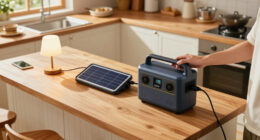
portable solar generator for home backup
As an affiliate, we earn on qualifying purchases.
As an affiliate, we earn on qualifying purchases.
Compare Battery Chemistry, Charging, and Solar Panel Limits
Compare a station’s usable capacity, battery chemistry, and charging limits, not just its advertised watt-hours. Many newer models use lithium iron phosphate (LFP), which manufacturers value for thermal stability and long cycle life; lithium-ion NMC models can be lighter or more compact at a similar capacity. The right tradeoff depends on whether you prioritize weight, storage, or frequent cycling.
| Feature | What to check | Why it matters |
|---|---|---|
| Battery capacity | Usable watt-hours and reserve limits | Sets how much energy you can draw in practice |
| Inverter output | Continuous and surge watts | Determines which devices can run and start |
| Solar input | Maximum watts, voltage range, connector | Limits panel compatibility and charging speed |
| Battery life | Cycle-life claim and remaining capacity at that point | Shows how the maker describes long-term performance |
Solar charging is weather-dependent, unlike wall charging, which is generally faster and more predictable. A panel’s rated output is not a promise of steady power all day: clouds, shade, season, temperature, and panel angle all change the result. The station may also cap input below the combined rating of the panels, so check the input voltage and maximum solar wattage before connecting them.
For example, a camper may set a folding panel in full sun at lunchtime and see useful charging, then lose output when a tree’s shadow creeps across it. Car charging can help on the road, but it is usually slower than wall charging. Many stations support charging while in use, but confirm the manual’s combined-input limits and restrictions. In a real outage, pairing solar with a charged battery is more dependable than assuming panels will refill it quickly on a cloudy afternoon.
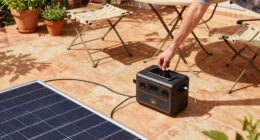
solar power station with AC outlets
As an affiliate, we earn on qualifying purchases.
As an affiliate, we earn on qualifying purchases.
Choose Backup That Fits Your Home, Not Just Your Budget
A portable station usually provides selected-device backup, not whole-home power. Large systems may support expansion batteries or selected home circuits, but that depends on the model, compatible transfer equipment, installation, and the loads you want to run. “Whole-home” on a product page does not tell you how much power it can deliver or for how long.
Imagine an outage on a winter evening. You may want the refrigerator, internet router, a few lights, and a phone charger—not every burner, the clothes dryer, and a space heater at once. Those heating appliances can draw substantial power and drain stored energy quickly. Listing your actual priorities helps you avoid paying for capacity you won’t use or buying a small unit that cannot meet the load.
For a larger home setup, check whether the product includes or supports suitable transfer equipment, what circuits it can serve, and the inverter’s continuous and surge ratings. Never backfeed your home through an ordinary outlet. Connecting a power station to household wiring requires equipment intended for that use and proper installation; consult a licensed electrician about permits and local electrical requirements.
Portable backup can still be a strong fit for renters or anyone who wants flexible, plug-in power. You can move the station from the kitchen to a desk, then use its USB ports to charge phones while its AC outlet runs a router. Before buying, look at the outlet count and types, cable compatibility, weight, carrying handles, and whether add-on batteries are supported. More capacity often means more weight, so a unit that looks easy to move online may feel like a suitcase full of bricks on stairs.
As an affiliate, we earn on qualifying purchases.
Use Your Station Safely and Keep It Ready for an Outage
Use a power station within the manufacturer’s temperature, moisture, charging, and load limits, and check for recognized safety certifications and protections against overload, overheating, and short circuits. A battery unit produces no exhaust while it operates, unlike a fuel-powered generator, but that does not mean you can ignore safe placement or charging instructions.
For example, keep the station away from a damp basement floor, rain, and a hot sunlit window, and place it where you can reach the controls without tripping over cables. Follow the manual’s guidance on ventilation, operating temperature, and indoor use. If you also run a fuel-burning generator, operate it outdoors according to its instructions and keep required carbon-monoxide precautions in place; a battery station does not make generator exhaust safe.
Before storm season, charge the unit, confirm that your solar panels and cables match its input specifications, and test the devices you plan to plug in. Check the manual for storage charge recommendations and maintenance intervals. Battery life depends on chemistry, temperature, charge levels, usage, and storage, so compare the maker’s cycle-life claim and what capacity it says remains after those cycles—not just a large lifespan number.
App monitoring, expansion batteries, and UPS-style automatic switching have become more common, but model details vary. If you need a computer to stay on during a brief power cut, check the claimed transfer time and confirm that your equipment works with it. A unit that switches too slowly may still let a desktop reboot. Treat “UPS” as a specification to verify, not a guarantee based on the label.
Make a Short Buying Checklist Before You Pick a Model
The best station for you is the one that can run your priority devices, recharge in your conditions, and fit your budget and space. Compare practical specifications side by side rather than letting a single headline number decide the purchase. A household with frequent short outages may value fast wall charging, while a remote camper may care more about weight and solar compatibility.
- Capacity: Compare usable Wh with your estimated device energy needs and leave a reserve.
- Output: Check continuous watts and surge watts against your largest appliance or motor.
- Solar: Confirm maximum input, voltage range, connector type, and panel compatibility.
- Battery: Compare chemistry, cycle-life details, warranty coverage, and service or replacement policies.
- Portability: Check weight, handles, outlet types, and whether expansion batteries add value for you.
- Safety: Look for recognized certifications, clear operating limits, and stated protection features.
Suppose you mostly want to keep a router and lights working during occasional outages. A lighter station with enough output and capacity for those loads may be more useful than a much larger model that costs more and stays in a closet. If your plan includes a refrigerator, measure its energy use and verify startup surge compatibility before you pay.
Compare wall charging speed with solar-input limits, and check the warranty fine print. A fast advertised charge time may describe ideal wall charging, not a typical solar day in your area. For air conditioners, microwaves, kettles, and space heaters, check both appliance demand and station ratings: high-power heating appliances can empty a battery quickly even when the inverter can run them.
Frequently Asked Questions
Can I run a refrigerator from a solar backup power station?
Often, but check the refrigerator’s energy use and startup surge against the station’s capacity and inverter ratings. Refrigerators cycle on and off, so their actual use differs from a constant wattage estimate. A plug-in energy meter can help you plan from measured use.
How many solar panels do I need to charge a power station?
It depends on the battery size, panel output, sunlight, and the station’s maximum solar-input limit. The station may accept less power than the panels can produce, and clouds or shade can lower output. Check panel voltage and connectors as well as wattage.
Can a portable power station run my whole house?
Most portable stations are meant for selected devices, not every household load. Whole-home or circuit backup needs enough storage and inverter output, plus compatible transfer equipment and often professional installation. Never connect a station to home wiring through an ordinary outlet.
Can I charge a power station while using it?
Many models support simultaneous charging and use, but the supported inputs and combined power limits vary. Check the manufacturer’s manual before relying on that feature, especially if you plan to charge from solar and run an appliance at the same time.
Is a solar battery station safe to use indoors?
Battery stations do not produce exhaust during operation, but you still need to follow the maker’s guidance on placement, temperature, moisture, and charging. Keep it away from wet areas and use only within its stated limits. A battery station does not replace carbon-monoxide precautions for a separate fuel-burning generator.
Will a power station run a kettle, microwave, or space heater?
These appliances often draw substantial continuous power, and some equipment also needs extra power to start. Compare the appliance’s requirements with the station’s continuous and surge ratings. Even if it can run the appliance, a heater or kettle can drain stored energy quickly.
Conclusion
Choose your station by starting with the devices you need during an outage, then match watt-hours, continuous watts, surge capacity, and charging options to that list. A solar panel can extend your backup, but weather and input limits shape how much energy it adds. For household wiring, bring in a licensed electrician and use approved transfer equipment.
A good backup plan isn’t the biggest battery in the catalog. It’s the one that keeps the router glowing, the fridge cold, and your next step clear when the neighborhood goes dark.
Fall Picks
fall essentials
As an affiliate, we earn on qualifying purchases.